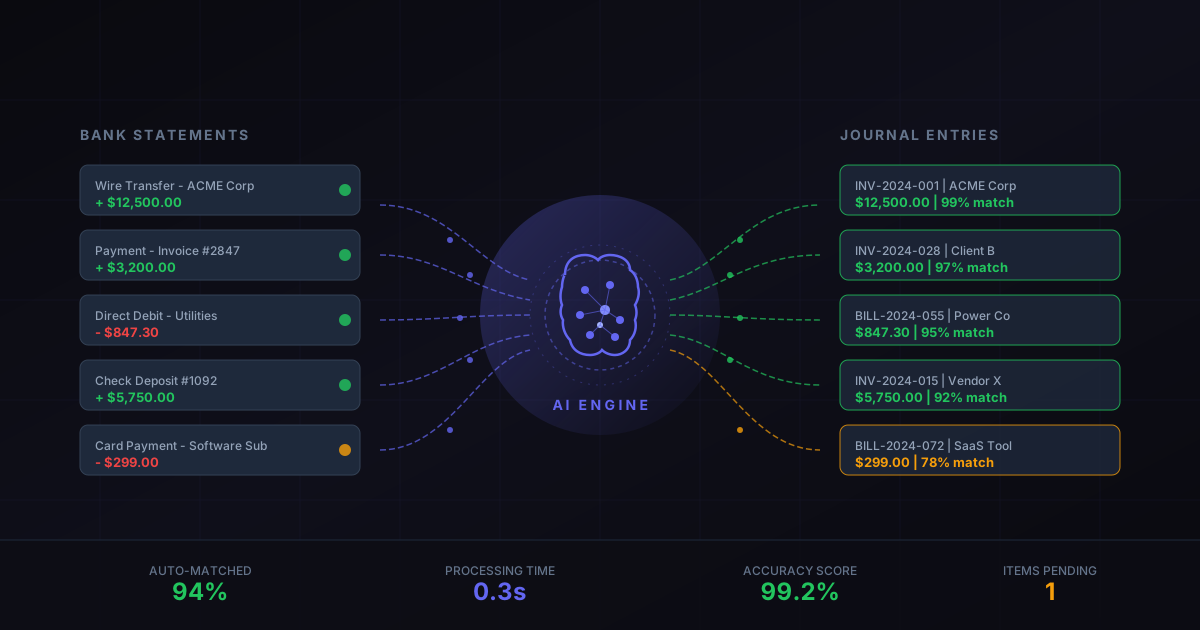
Bank reconciliation has always been accounting’s version of sorting laundry. Necessary, repetitive, and just tedious enough that mistakes creep in when attention drifts. For years, the process in most ERP systems followed the same script: download a bank statement, open the reconciliation screen, manually match each line to a journal entry, and deal with the leftovers that don’t quite fit.
Odoo 19 throws that script away. The new bank reconciliation engine is built from the ground up around machine learning, and the difference isn’t subtle. The system watches what you do, remembers your decisions, and starts making them for you. After a few weeks of use, most recurring transactions reconcile themselves before you even open the screen.
The OCR Layer That Reads Your Statements
The redesign starts at the point of entry. Instead of requiring CSV imports or bank feed connections for every institution, Odoo 19 introduces an optical character recognition engine that reads uploaded bank statements directly. Drop a PDF from your bank into the system, and OCR extracts the transaction lines, amounts, dates, and counterparty names automatically.
The technology isn’t just reading numbers off a page. It identifies vendor names from partial text, maps them to existing contacts in the database, and pre-fills the matching suggestions before a human even looks at the data. When the OCR picks up “AMZN MKTP” on a statement line, it knows that’s Amazon and suggests the matching open bill. When it sees a recurring monthly charge from your hosting provider, it flags the corresponding vendor bill instantly.
The starting and ending balance fields are also read from the PDF, though accountants can manually correct them if the OCR misinterprets a digit. This matters for control — the system verifies that the imported balance matches the expected opening balance from the previous statement, catching upload errors before they cascade into reconciliation problems.
A Matching Engine That Gets Smarter With Use
The real leap forward is behavioral. Every time an accountant confirms a match, the system records the decision. Match a “STRIPE PAYOUT” line to a specific revenue account three times, and the system starts suggesting that match automatically on the fourth. Approve a bank fee deduction against a financial charges account, and every future fee from that bank gets pre-matched.
This isn’t a rigid rule system. The AI considers multiple signals: the amount, the counterparty label, the timing relative to open invoices, the historical pattern of similar transactions. It weighs these factors and presents the most likely match as its top suggestion, with alternatives ranked below.
For businesses with predictable payment flows — SaaS companies with subscription revenue, retailers with daily card settlements, manufacturers with regular supplier payments — the auto-match rate climbs quickly. Within a month of use, many organizations report that 70-80% of their bank lines arrive pre-reconciled, waiting only for a single click to confirm.
Bank Fees Finally Handle Themselves
One of the persistent annoyances in bank reconciliation has been handling fees. A customer pays an invoice for $1,000, but the bank deposits $985 because of a $15 processing fee. In the old world, the accountant had to manually split the line, allocate $985 to the invoice and $15 to a fee account, and explain why the amounts didn’t match.
Odoo 19 now detects these patterns automatically. When a payment arrives short by an amount consistent with known fee structures — PayPal’s percentage, Stripe’s flat-plus-percentage, or a bank’s wire transfer fee — the system pre-splits the transaction. The invoice gets matched for its full amount, the fee gets routed to the appropriate expense account, and the accountant just confirms that the suggestion looks right.
Draft Entries Join the Reconciliation Flow
A quieter but significant change: reconciliation now works with draft journal entries, not just posted ones. Previously, you had to post an entry before it could appear as a match candidate. This created an awkward workflow where accountants posted entries prematurely just to make them available for reconciliation, then had to unpost and correct them if something was wrong.
Now, draft entries appear in the matching suggestions alongside posted ones. Approve the reconciliation, and the draft entry posts automatically as part of the confirmation. This small change smooths out a workflow friction that experienced users have worked around for years but that tripped up newer accounting teams regularly.
Keyboard-First for Power Users
The interface redesign isn’t just about AI. Odoo clearly watched how power users actually work through reconciliation screens — rapidly, with hands on the keyboard, tabbing through entries and confirming matches without reaching for the mouse. The new interface supports full keyboard navigation, with shortcuts for confirming matches, skipping entries, creating write-offs, and moving between bank statement lines.
For firms processing hundreds of transactions daily, the keyboard-first design combined with AI pre-matching means the reconciliation queue becomes something closer to an email inbox — scan, confirm, next, confirm, next — rather than a puzzle to solve.
What This Means for Monthly Close
The cumulative effect of these changes compresses what was once a multi-day monthly close activity into something that takes a fraction of the time. The OCR eliminates manual data entry. The AI eliminates manual matching. The fee detection eliminates manual splitting. And the keyboard interface eliminates the mouse-clicking tedium of confirming what the system already figured out.
For accounting teams that have treated bank reconciliation as an unavoidable time sink, Odoo 19 turns it into something closer to a review process — scan the AI’s work, confirm it’s correct, and move on to analysis that actually requires human judgment. The boring part finally handles itself.