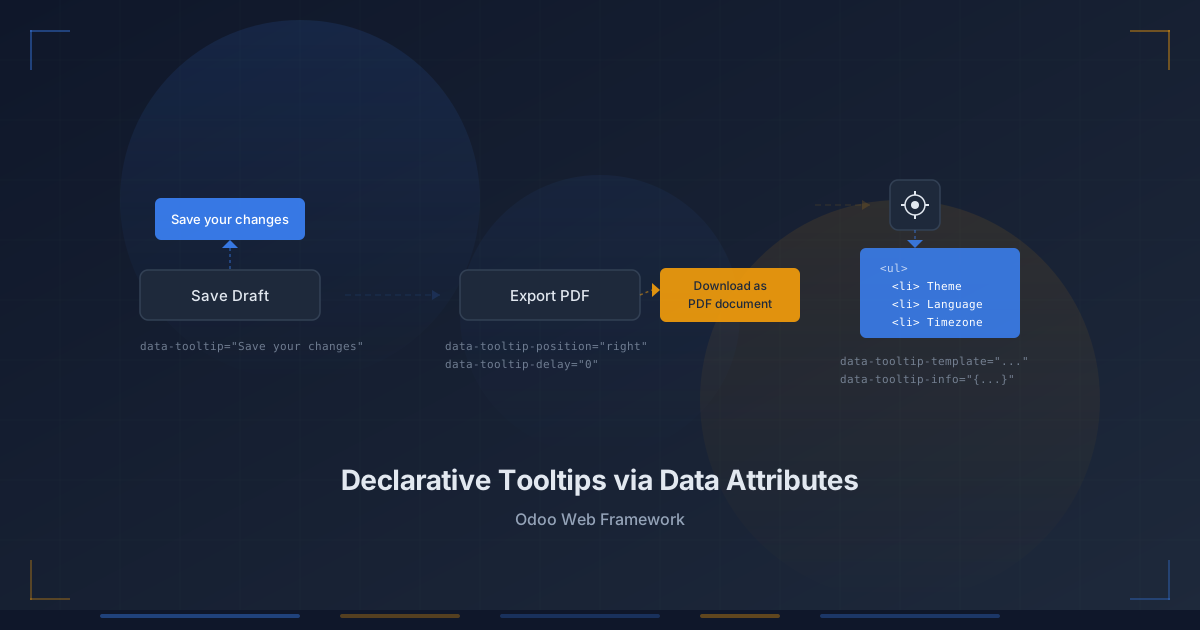
Tooltips are one of those interface elements that seem trivial until you actually have to build them. Positioning logic, delay timing, cleanup on unmount, rich content rendering — the surface area grows fast. Odoo has now shipped a tooltip system in its web framework that sidesteps most of that complexity by making the entire API declarative. Five HTML data attributes handle everything from a plain-text label to a fully templated info panel, and there is no JavaScript to write on the consuming side.
The Basic Case: One Attribute, One Tooltip
The simplest usage is exactly what you’d hope it would be. Add a single data-tooltipattribute to any HTML element, and the framework’s tooltip service picks it up automatically:
<button data-tooltip="This is a tooltip">Do something</button>No component wrapping, no service injection, no event listener setup. The tooltip service watches the DOM and handles hover detection, positioning, and teardown internally. For the vast majority of use cases — action buttons that need a label, icon-only controls that need explanation — this single attribute is the entire implementation.
Positioning and Timing: Two More Attributes
Default tooltip placement is automatic, but when layout constraints require explicit control, the data-tooltip-position attribute accepts four values: top, bottom, left, and right. Combined with data-tooltip-delay, which takes a value in milliseconds, developers get fine-grained control over both where the tooltip appears and how quickly it responds.
The default delay is 400 milliseconds — long enough to prevent tooltips from firing during casual mouse traversal, short enough to feel responsive on intentional hover. Setting the delay to zero makes the tooltip appear instantly, which is appropriate for dense toolbars where the user is actively scanning for the right control:
<button
  data-tooltip="This is a tooltip"
  data-tooltip-position="left"
  data-tooltip-delay="0"
>
  Do something
</button>
Three attributes, no imports, no state management. The positioning engine handles collision detection with viewport edges internally, which means a right-positioned tooltip near the edge of the screen won’t clip out of view.
Rich Content: Templates and Info Objects
Plain text covers most tooltip needs, but some situations demand structured content — a list of keyboard shortcuts, a summary of record metadata, a breakdown of computed values. For these, Odoo’s system introduces two additional attributes: data-tooltip-template and data-tooltip-info.
The template attribute references a QWeb template by name. The info attribute carries a stringified object whose properties become available inside that template. A minimal example looks like this:
<!-- QWeb template definition -->
<t t-name="some_template">
  <ul>
    <li t-esc="info.x" />
    <li t-esc="info.y" />
  </ul>
</t>

<!-- Element using the template tooltip -->
<button
  data-tooltip-template="some_template"
  data-tooltip-info='{"x": "First item", "y": "Second item"}'
>
  Do something
</button>
This is a meaningful architectural decision. Rather than inventing a mini-language for tooltip content or requiring developers to instantiate OWL components just to render a list inside a hover card, the system reuses QWeb — the same templating engine that powers every other piece of Odoo’s frontend rendering. Developers who already know how to write QWeb templates know how to write rich tooltips.
Why Declarative Matters Here
The design philosophy behind this system is worth examining. Tooltip implementations in most web frameworks fall into one of two camps: imperative APIs that require calling a function or instantiating a component, and CSS-only solutions that handle positioning but can’t manage timing or rich content. Odoo’s approach carves out a third path — a service layer that reads configuration from the DOM itself.
This has practical benefits beyond ergonomics. Because the tooltip service operates at the document level rather than the component level, it works across Odoo’s entire UI surface without any per-module setup. A tooltip added to a list view cell uses the same mechanism as one on a form view button or a kanban card action. The service handles lifecycle management, so tooltips created by elements that are later removed from the DOM don’t leak event listeners or orphan floating elements.
Five Attributes, No Ceremony
The complete API surface for Odoo’s tooltip system consists of five data attributes: data-tooltip for plain text, data-tooltip-position for placement, data-tooltip-delay for timing, data-tooltip-template for QWeb-rendered content, and data-tooltip-infofor passing data into those templates. That’s it. No JavaScript imports, no component hierarchies, no configuration objects.
For a framework that powers everything from CRM dashboards to point-of-sale terminals, this kind of low-ceremony API design matters. Every tooltip that doesn’t require a developer to write and debug custom positioning code is time recovered for the features that actually differentiate a module. It’s the kind of infrastructure work that rarely makes headlines but quietly removes friction from every project that touches the frontend.