
Running events in Odoo has always been mechanically complete — you could track registrations, sell tickets, and manage speakers from the back office without much trouble. But the public-facing website for events has long felt like an afterthought. The pages where attendees browse talks, submit their own session proposals, and plan their day from an agenda were functional, but they lacked the visual clarity and self-service polish that conference attendees expect in 2026.
That gap has been closed. Odoo 19 ships a redesigned event website experience that touches every attendee-facing page: the talks listing, the proposal submission flow, and the agenda view. The changes aren’t cosmetic — they restructure how visitors navigate and interact with event content.
Browsing Talks With Tags and Favorites
The talks page now organizes scheduled tracks by date, with each session displayed as a card showing the title, speaker, time, and location. The visual hierarchy is clearer, but the real improvement is what visitors can do with it.
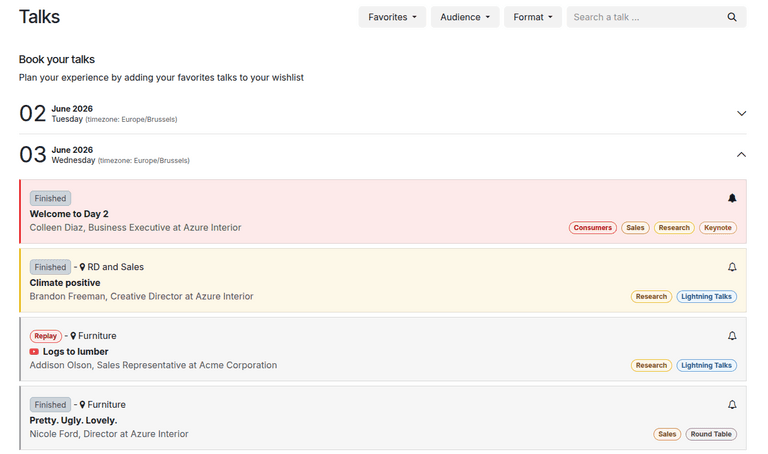
Every talk card now includes a bell icon that visitors can tap to mark a session as a favorite. This isn’t just a visual bookmark — the favorites list becomes a filter. Visitors can toggle a view that shows only sessions they’ve favorited, which effectively gives them a personalized conference schedule without requiring any account creation or app installation.
The tag filtering system is the other addition. Event organizers can create tags with color coding and assign them to categories — think “Technical,” “Beginner,” “Workshop,” or “Industry Panel.” Visitors filter by these tags directly on the talks page, narrowing down a 50-session conference to just the tracks that match their interests. The combination of tag filtering and favorites means attendees can quickly build a shortlist from even the most sprawling event schedule.
A Cleaner Sub-Menu for Navigation
The event website now presents a sub-header menu that consistently appears across all event pages. Three options — Talks, Proposals, and Agenda — sit in a horizontal bar below the event banner, so visitors always know where they are and can jump between sections without scrolling back to the top or hunting for a sidebar link.
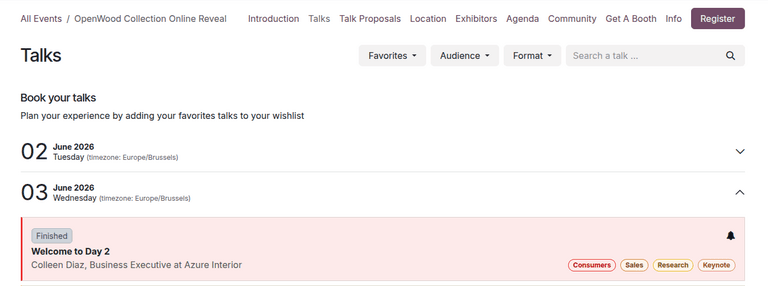
This sounds minor, but the previous layout made it surprisingly easy to land on the talks page and never realize there was a separate agenda or proposal section. The persistent navigation bar eliminates that discovery problem.
Talk Proposals Go Directly Through the Website
The proposal submission flow has been tightened up. Visitors can now submit talk proposals through a customizable online form accessible from the event website. The form collects the talk title, speaker information, duration, and a description — all fields that event organizers can customize through Odoo’s website builder.
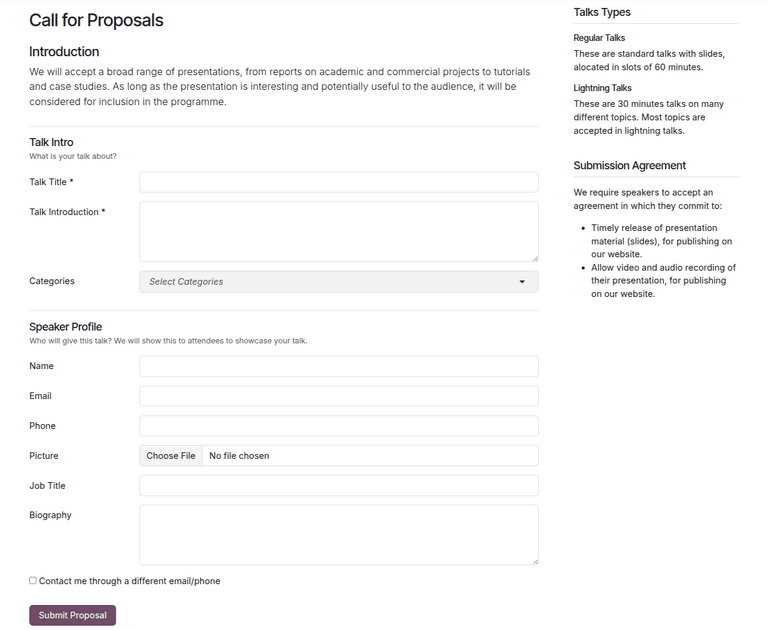
When a visitor submits a proposal, it creates a new track record inside Odoo’s Events app with a “Proposal” stage. The event team reviews submissions from the back office and can accept, reject, or request changes without the visitor needing to know anything about Odoo. Accepted proposals automatically move to the scheduled tracks and appear on the public talks page.
The workflow is straightforward for both sides: visitors get a clean form and a confirmation, while organizers get a structured pipeline of submissions they can triage using Odoo’s standard kanban views. It replaces the spreadsheet-and-email loop that most conference teams default to when their event platform doesn’t have native call-for- papers functionality.
The Agenda View: Sessions by Room and Time
The new agenda page is the most visible change. It renders a calendar-style grid where columns represent physical locations — Main Hall, Room A, Room B — and rows represent time blocks. Each cell shows the talk title and its time range, color-coded to make it easy to scan for gaps or conflicts in a multi-track event.
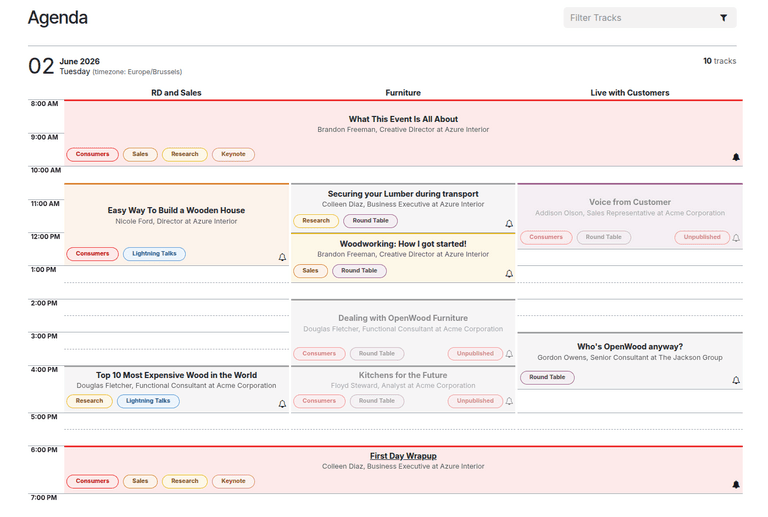
Clicking any session in the agenda opens the full talk detail page, where attendees can read the description, see the speaker bio, and mark the session as a favorite. The agenda effectively becomes the day-of navigation tool — attendees pull it up on their phone and use it to decide what’s happening next in their preferred room.
For event organizers, the agenda view also surfaces scheduling problems early. If two keynote speakers are accidentally slotted at the same time in different rooms, the visual layout makes that obvious at a glance — something that a flat list of sessions easily hides.
What This Means for Event Organizers
These changes move Odoo’s event website from a basic information page to something closer to a standalone conference app. Attendees can browse, filter, favorite, propose, and plan — all from the website, without any third-party tools or separate event platforms.
The practical effect for event teams is a reduction in support requests. When attendees can build their own personalized schedule, find relevant sessions through tags, and submit proposals through a proper form, the organizers spend less time answering “where do I find X” questions and more time running the event.
For organizations that run recurring events — monthly meetups, quarterly conferences, annual summits — this makes the events module a genuinely viable alternative to dedicated platforms like Sessionize or Sched. The feature set is not as deep as those purpose-built tools, but it’s integrated directly into the same system that handles registration, ticketing, and marketing — which, for most mid-size events, is exactly the tradeoff worth making.