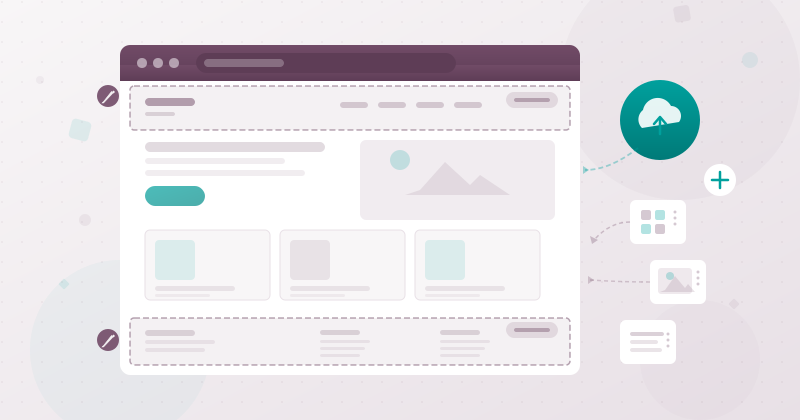
Building a website inside an ERP has always been a compromise. You get the integration benefits — products, blog posts, customer portals, and forms all wired directly into the business logic — but the website builder itself tends to feel like an afterthought compared to dedicated platforms like Webflow or Squarespace. Odoo has been steadily closing that gap, and the latest round of changes takes aim at two of the most fundamental aspects of website management: how sites get created in the first place, and how the ever-present header and footer get built and maintained.
A Proper Creation and Import Workflow
Odoo now has a dedicated website creation tool that goes beyond the old “create a new website” button buried in settings. The new system treats site creation as a first-class workflow with its own interface, guiding users through the initial setup of a new site — domain configuration, template selection, and foundational page structure — in a structured sequence rather than dumping them onto a blank canvas and hoping for the best.
More significant is the import capability. Businesses can now pull in existing website content, which opens up a migration path that didn’t previously exist within the platform. Whether a company is consolidating multiple web properties into Odoo’s multi-website architecture or bringing in content from an external CMS, the import tool provides a structured way to get that content into the system without rebuilding every page from scratch.
The import functionality extends beyond static pages. It works with Odoo’s eCommerce module, meaning product catalogs with their associated images, descriptions, and category hierarchies can be brought in as part of the site import process. The same applies to blog content — posts, categories, and metadata travel together, preserving the content structure that took months or years to build on another platform.
Why Site Creation Needed Its Own Tool
This might seem like a small addition until you consider how Odoo’s multi-website architecture actually works in practice. A single Odoo instance can host multiple websites, each with its own domain, theme, and content — a corporate site, an e-commerce storefront, a support portal, and a recruitment page, all running from the same database. The problem was that setting up each new site involved navigating through settings menus, manually configuring domains, and then building out the site structure page by page.
The new creation tool collapses that process into a guided workflow. It’s the kind of quality-of-life improvement that matters most for agencies and IT teams managing multiple client sites on a single Odoo instance, or for growing businesses that spin up new web properties as they enter new markets or launch new product lines. Getting a site from “let’s do this” to “here’s the URL” now takes minutes instead of an afternoon of configuration.
The Header and Footer Get a Ground-Up Redesign
Headers and footers are the most persistent elements on any website. They appear on every page, carry the primary navigation, house the logo and contact information, and define the visual frame that visitors see before they engage with any actual content. Despite their importance, editing them in most website builders — including Odoo’s previous version — has been an exercise in frustration. Move one element and the entire layout shifts. Try to add a dropdown menu and the spacing breaks on mobile. Want a different footer on your blog than on your shop? Good luck.
The redesigned header and footer editor takes a different approach. Instead of treating these elements as free-form drag-and-drop zones where anything can go anywhere, the new editor provides structured customization through a dedicated menu editor. Navigation items, dropdowns, mega menus, and call-to-action buttons are managed through a tree-style interface where each element has clearly defined properties and positioning rules.
The result is headers that don’t break. Adding a new top-level navigation item doesn’t push everything else off-screen because the system understands the layout constraints. Dropdown menus can be configured with columns, images, and featured links through the editor rather than by wrestling with building blocks. And the footer follows the same structured approach — columns, link groups, social icons, and legal text each have dedicated configuration sections.
Building Blocks Get Smarter in the Process
Alongside the header and footer changes, Odoo has updated its building block system for the wider page content. The building blocks — pre-designed sections that can be dropped into any page — now work more intelligently with the structured header and footer, maintaining consistent spacing and visual hierarchy across the full page.
This matters because the header and footer aren’t isolated elements. They interact with the page content below and above them. A sticky header that overlaps the first section of content, a footer that doesn’t properly clear the last building block, or navigation that renders differently depending on which template a page uses — these are the kinds of issues that made Odoo’s previous website builder feel unpredictable. The updated building block system addresses these interaction patterns, ensuring that the structural elements and the content sections play nicely together regardless of page layout.
What This Means for Businesses Using Odoo as a CMS
Odoo’s website builder has always occupied an interesting position in the market. It’s not trying to compete with Webflow on design flexibility or WordPress on plugin ecosystem. Its advantage is integration — the fact that a product page is directly connected to inventory, a contact form feeds into the CRM, and a blog post can be linked to marketing automation campaigns, all without any third-party connectors.
These updates strengthen that position by addressing two of the most common complaints about using Odoo as a website platform. The creation and import tool makes it practical to migrate to Odoo from another CMS without losing existing content. The header and footer redesign eliminates the layout fragility that made non-technical users afraid to touch the navigation. Together, they move Odoo’s website builder from “good enough because it’s integrated” toward “genuinely capable and pleasant to use on its own terms.”
For businesses that have been maintaining a separate WordPress or Wix site alongside their Odoo instance because the built-in builder wasn’t quite ready, these changes make the consolidation argument considerably stronger. One fewer system to maintain, one fewer integration to manage, and one fewer vendor to pay — all while getting a better editing experience than what was available six months ago.