Most ERP AI integrations work like a single chatbot with one personality. You get a text box, you type something, and the AI responds based on whatever system prompt the vendor hard-coded months ago. If you want different behavior for different tasks — summarizing a sales call versus drafting a purchase order response — you’re on your own to phrase the request carefully enough that the AI figures out what you want.
Odoo just shipped something more interesting. In version 19.2, each AI action button in the interface can now carry its own dedicated prompt, and those button-level instructions combine with two other layers of context to create a complete instruction set for the model. It’s not just “AI with buttons” — it’s a structured prompt architecture that gives businesses real control over AI behavior without writing code.
The Three Layers, Explained
Every AI interaction in Odoo now passes through three instruction layers before the model generates a response:
- Agent promptsdefine the AI’s global identity and behavioral boundaries. Think of this as the AI’s “personality” — whether it should be formal or casual, what it should never do, what domain expertise it should assume. These are configured on the agent’s record and apply to every interaction regardless of context.
- Default prompt contextadapts the AI’s behavior for specific models within Odoo. A default prompt attached to the Sales Order model might instruct the AI to always reference payment terms, while one on the Helpdesk Ticket model might emphasize empathy and solution-finding.
- Button prompts specify the immediate task. Each button visible in the AI interface carries its own instruction that tells the model exactly what to do when clicked.
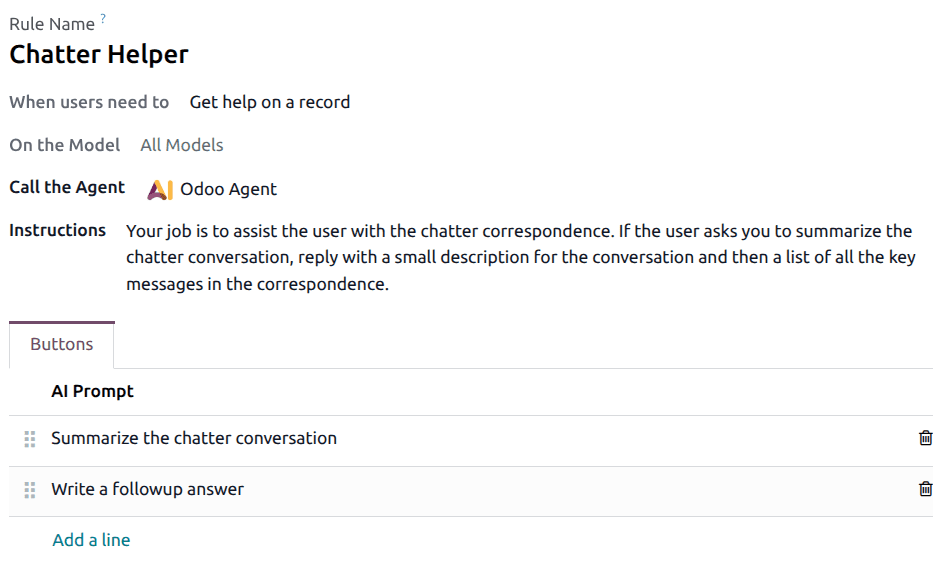
When a user clicks an AI button, Odoo combines the agent’s global instructions, the default prompt context for that particular record type, and the selected button’s specific prompt — then sends all three to the AI model as a single, coherent instruction set. The model receives full behavioral context (who am I, where am I, what should I do right now) in one shot.
Setting Up Button Prompts
Adding a button prompt is straightforward. Within the default prompts configuration, you click Add a line, which opens a popup with two fields: a Title (what appears on the button in the interface) and a Prompt (the actual instruction sent to the AI). Each button becomes a one-click action that fires a precise, pre-configured instruction.
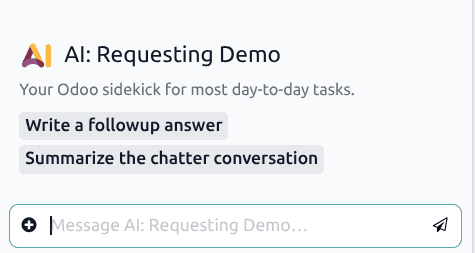
This means a sales manager could set up buttons like “Summarize this thread for my manager” or “Draft a polite follow-up” that each trigger completely different AI behaviors — all without the end user needing to write a single word of instruction. They just click.
Why Layered Prompts Matter for Business Users
The distinction between one global prompt and a layered system matters more than it might seem at first glance. Consider a company where the support team needs the AI to be empathetic and solution-oriented, while the finance team needs it to be precise and citation-heavy. With a single system prompt, you either get a generic middle ground or you build separate AI tools for each department.
Odoo’s approach lets you set the global guardrails once (agent level), customize the contextual behavior per module (default prompt level), and then create specific one-click actions (button level) — all configurable by business users through the standard settings interface, no developer involvement required.
The practical upshot: AI in Odoo stops being a generic assistant and starts behaving like a team member who knows the playbook for each specific situation. That’s a meaningful step beyond the “chat with your data” paradigm that most ERP AI features still operate under.
The Conversation Interface
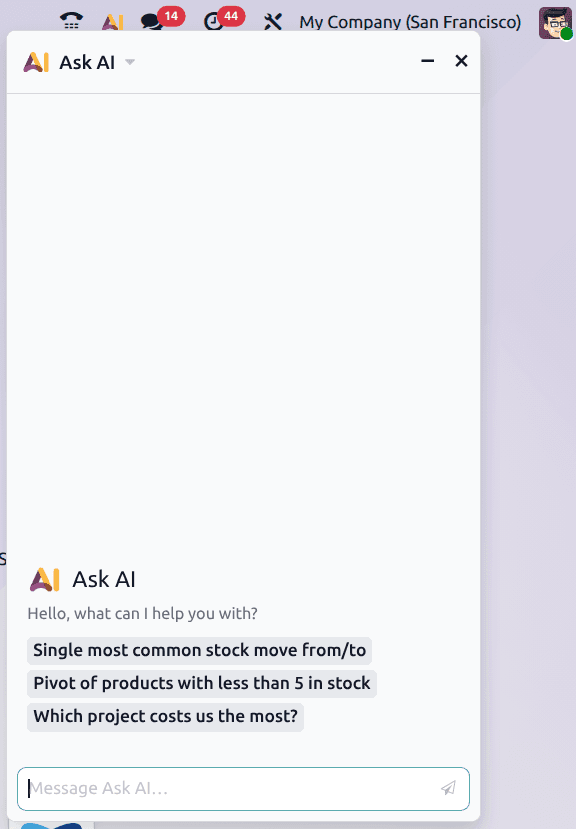
The button prompts surface directly in Odoo’s chatter — the threaded communication panel attached to every record. When AI is enabled on a model, the prompt buttons appear as clickable actions within the conversation view. Users don’t navigate to a separate AI tool; the intelligence is embedded where the work already happens.
This is subtle but important. Every additional click, every context switch to a separate tool, reduces adoption. By making AI actions native to the same conversation thread where teams already communicate, Odoo removes the friction that kills most enterprise AI rollouts before they gain traction.