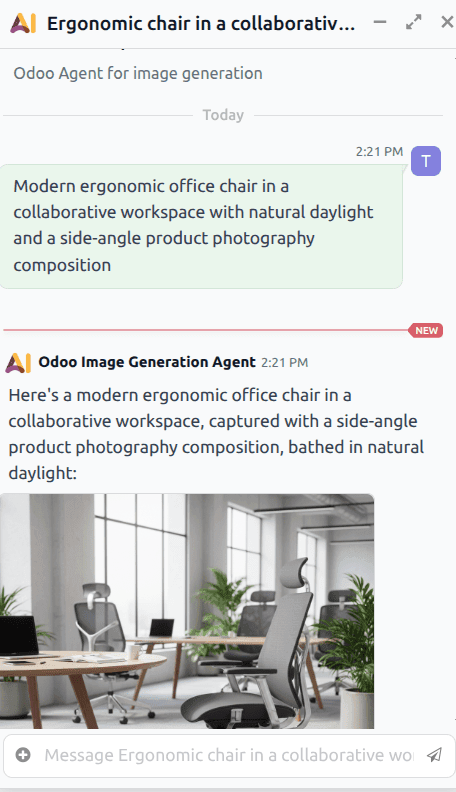
If you have ever needed a product photo for an eCommerce listing, a hero image for a landing page, or a visual for a marketing email and found yourself switching between Odoo and an external image tool, that friction just disappeared. Odoo now includes a built-in AI image generator that takes natural language descriptions and turns them into usable visuals — directly inside the platform, no tab-switching required.
The feature is built around a dedicated AI agent called the Odoo Image Generation Agent. Think of it as a specialized creative assistant that lives inside the AI app. You open a conversation with it, type a description of what you want, and the agent produces an image on the spot. If the first result is not quite right, you refine your prompt and try again within the same conversation thread. The iterative loop happens entirely inside Odoo.
How the Image Generator Actually Works
The system is built on a two-layer architecture. At the top sits the Image Generation Agent, which handles the high-level behavior of the conversation: how it interprets your prompts, how it manages text and branding in generated images, and how it decides when to refine versus regenerate. Below that sits a companion topic called Generate Images, which contains the detailed instructions that guide the actual image creation process — things like how to preserve subject identity across variations, how to construct new environments, and how to ensure each generated image looks distinct from previous attempts.
One design choice stands out: by default, the generator does not include text, logos, watermarks, or signage in its output. Anyone who has used AI image tools knows that text rendering is the weakest link — you get garbled letters, misspelled words, and visual noise that makes the image unusable for professional contexts. Odoo sidesteps this by stripping text out unless you explicitly request it. If you do need a label or brand name in the image, you add it to your prompt and the agent includes it intentionally rather than accidentally.
Using It for Website Content
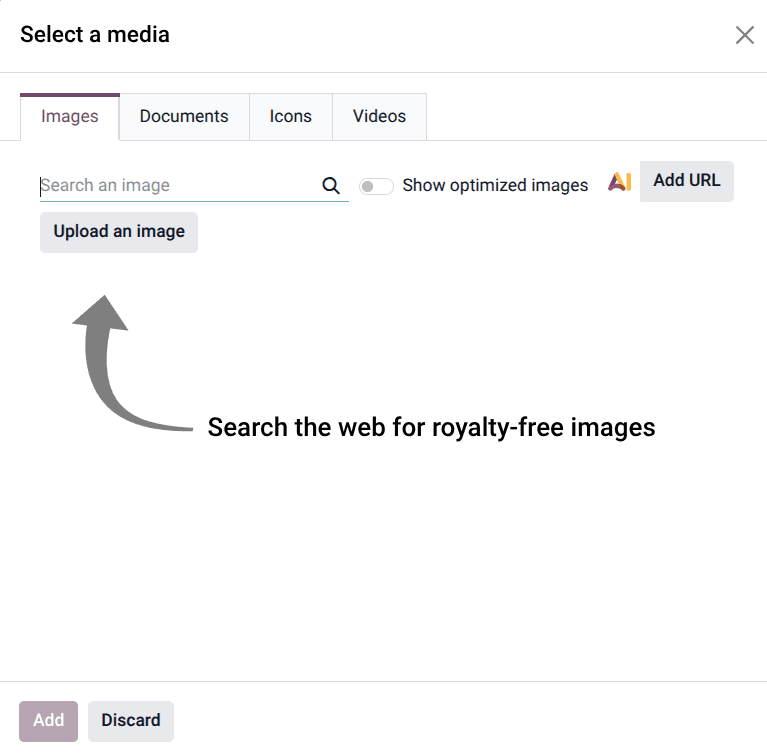
The image generator is not limited to standalone conversations in the AI app. It integrates directly into the website editor. When editing a page, you can click into any image block, open the media selector, and switch to the AI tab. From there, you either choose a suggested prompt or write your own. The generated image drops straight into the page layout without any download-upload cycle.
For marketing teams that manage dozens of product pages and campaign landing pages, this changes the workflow meaningfully. Instead of briefing a designer, waiting for mockups, requesting revisions, and then uploading the final asset, you describe what you need and iterate in real time. The quality will not replace a professional product shoot, but for placeholder visuals, mood-setting hero images, and social media assets, it eliminates an entire category of creative bottleneck.
Writing Prompts That Produce Usable Results
The difference between a mediocre AI-generated image and a good one almost always comes down to the prompt. Odoo’s documentation recommends including four elements: the subject, the environment or setting, the perspective or composition, and the intended visual style. A prompt like “office chair” produces a generic result. A prompt like “modern ergonomic office chair in a collaborative workspace with natural daylight and a side-angle product photography composition” produces something you can actually use.
When generating variations from an existing image, the prompts work best when they describe how the subject should be presented or used, rather than redefining the subject itself. This keeps the core identity consistent across variations while changing the context around it — the same chair in a home office, in a conference room, against a white background for a product catalog.
Where This Fits in the Broader AI Push
Image generation is the latest addition to an AI toolkit that has been expanding steadily. Previous updates brought record creation, view building, web search, and website editing capabilities to the AI agent system. The image generator fills the visual content gap that those text-oriented agents could not address. Taken together, a business running on Odoo can now generate a product record, create a product image, build a website page to display it, and draft marketing copy — all through AI-assisted workflows that never leave the platform.
The feature ships in the 19.3 release branch and is available to users with AI capabilities enabled on their instance.