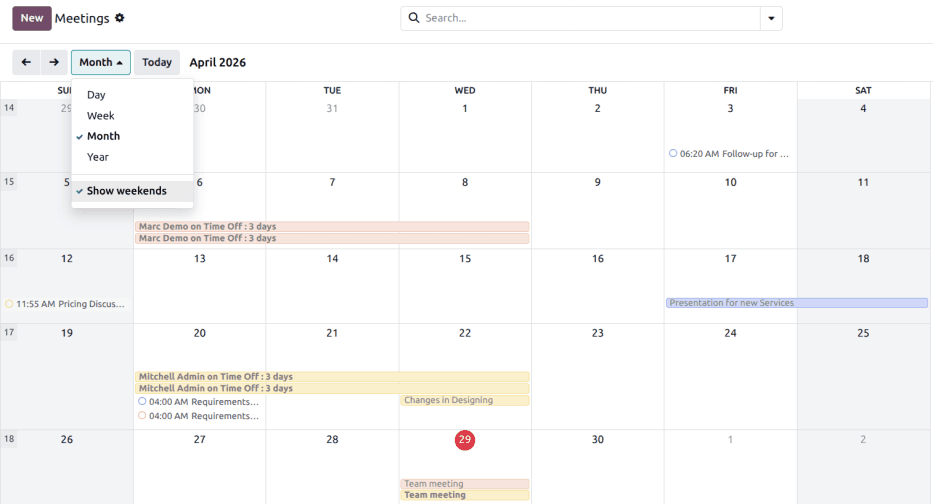
Odoo’s Calendar app has always been functional enough — you could create meetings, invite attendees, sync with Google. But the documentation read like it was written in three different years by three different people, and the configuration story was scattered across disconnected pages. That just changed with a ground-up rewrite that finally treats the Calendar as a proper scheduling platform, not an afterthought bolted onto the CRM.
The overhaul consolidates everything into a single configuration overview: third-party sync, event creation, team availability, appointment booking, and communication settings. It’s the first time all of these features have been documented in one place with a coherent flow.
Third-Party Sync Done Right
The sync setup for Outlook and Google calendars now lives under a dedicated section with explicit credential fields. You enter your Client ID and Client Secret in Configuration > Settings, toggle synchronization on or off with a checkbox, and hit Save. Leaving the sync field blank triggers automatic synchronization. Checking the box pauses it. It’s a small thing, but having this documented clearly instead of buried in a troubleshooting FAQ makes a real difference for first-time setups.
Drag-to-Select Availability Sharing
The standout feature in this refresh is the Share Availabilities tool. From the main Calendar dashboard, you click Share, then “Specific Slots,” and drag across your calendar to mark when you’re free. Each selected block appears as a highlighted slot that you can remove with a hover-and-trash gesture. Once you’re done, copy the link and send it to anyone who needs to book time with you.
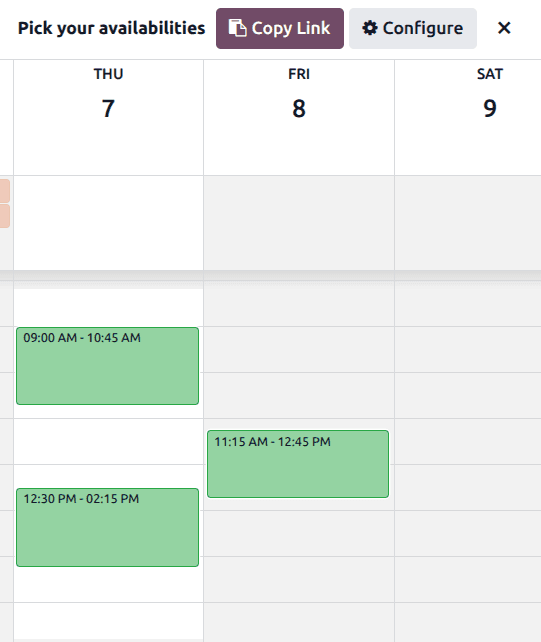
This is Odoo’s answer to Calendly-style scheduling, built directly into the ERP. The difference is that your availability is calculated against your actual Odoo calendar, not a separate tool with its own data. When someone books a slot through the shared link, it creates a meeting in your Odoo Calendar automatically — no manual entry, no copy-paste between apps.
Team Calendars Side by Side
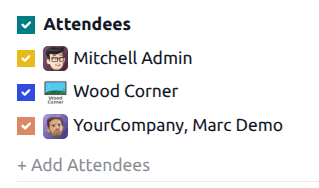
The updated documentation highlights a feature that most teams overlook: toggling individual team member calendars on and off to view scheduling alongside your own. This isn’t a new capability, but it’s finally documented as a first-class workflow rather than a tooltip you might accidentally discover. For managers coordinating meetings across departments, seeing everyone’s availability overlaid on a single view eliminates the back-and-forth of “are you free at 2?” emails.
Appointment Booking with Payment Gates
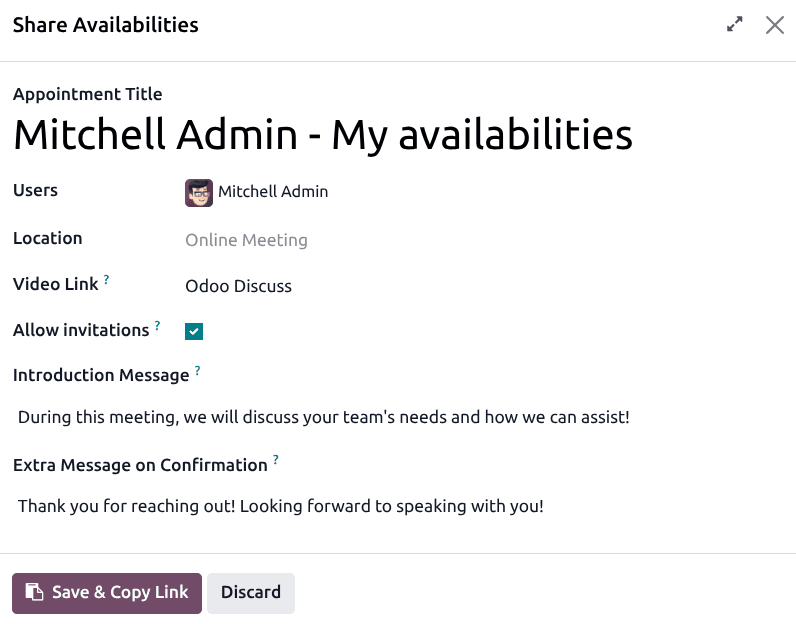
The appointment system now has its own fully documented workflow. You create an appointment type, set a location (or leave it blank for auto-generated video links), configure availability slots, and optionally require up-front payment before the booking confirms. That last part is significant for consultants, coaches, and service businesses that have been using third-party tools just to gate calendar bookings behind a paywall.
The appointment form includes four configuration tabs. The Availabilities tab lets you define time windows manually. The Questions tab collects information from the person booking — name, reason for meeting, whatever you need. The Communication tab handles confirmation emails, cancellation emails, reminders, and both the introduction and confirmation page copy. And the Options tab controls everything from timezone handling to minimum booking advance windows to cancellation deadlines.
Events from Anywhere in the System
One of the better-documented patterns in this rewrite is creating calendar events directly from the chatter on any record. Open a CRM opportunity, click the Activity button, select “Meeting” or “Call for Demo” as the activity type, and Schedule drops you straight into Calendar with the context already attached. The meeting links back to the original record, so there’s a clear audit trail from opportunity to meeting to outcome.
This cross-app integration is one of Odoo’s genuine advantages over standalone scheduling tools. A meeting isn’t just a time block — it’s connected to a sales pipeline, a project task, or an employee appraisal. Having that documented as an explicit workflow rather than an implied feature makes it far more likely that teams will actually use it.
Why This Rewrite Matters
Calendar apps live or die on two things: how easy they are to configure and how well they integrate with everything else. Odoo’s Calendar has had reliable integration for years, but the configuration story was a mess. You had to piece together sync settings from one page, event options from another, and appointment features from a third.
This consolidated overview fixes that. Whether you’re setting up a shared scheduling link for a sales team, configuring appointment bookings for a consulting practice, or just trying to sync your Google Calendar without breaking something, everything is now in one place. It’s the kind of documentation work that doesn’t generate headlines but quietly saves hundreds of support tickets.