For a platform that handles everything from invoicing to warehouse barcodes, Odoo had a conspicuous blind spot in its documentation: there was no centralized guide explaining how manufacturing orders and work orders actually work. Users piecing together MRP workflows had to hop between scattered references, forum posts, and trial and error. That gap just closed.
Odoo has published a full-length manufacturing guide that walks through the entire lifecycle of a manufacturing order — from creating one to processing work orders on the shop floor to assigning serial numbers to finished goods. It’s the kind of foundational document that should have existed three versions ago, but better late than never.
Manufacturing Steps: One, Two, or Three
The guide starts at the warehouse level, where Odoo lets administrators configure manufacturing in one, two, or three steps. A single-step setup means raw materials are consumed and finished goods produced in one shot. Two steps add a pre-production picking stage. Three steps layer in a post-production quality check before goods hit the shelf. The choice lives in the Warehouse Configuration tab of the Inventory app, and it determines how many operations the system generates per manufacturing order.
This isn’t a new feature — multi-step manufacturing has been around for years. But having it explained clearly in one place, with the exact navigation path and field names, is something Odoo’s manufacturing users have needed for a while.
Creating and Processing a Manufacturing Order
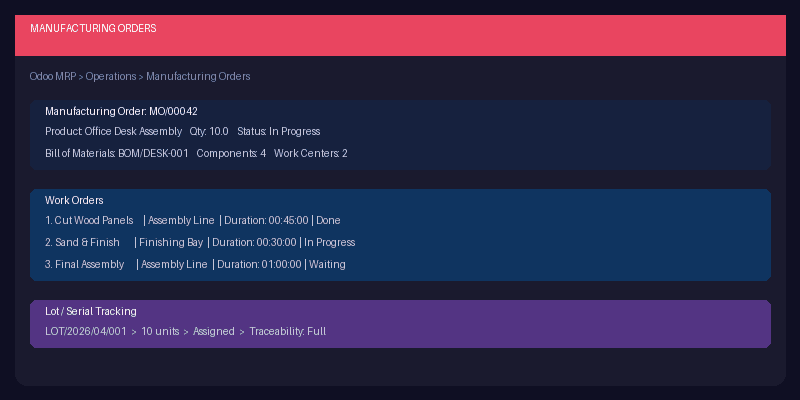
The documentation lays out the full creation flow: navigate to Manufacturing > Operations > Manufacturing Orders, select a product, set the quantity, and watch the bill of materials auto-populate. Components, work centers, and operation steps all pull from the BoM configuration. Once the order is confirmed, each work order gets its own card with a play button to start the timer and a done button to mark completion.
There are two ways to process work orders. The basic workflow keeps everything inside the manufacturing order form — start each operation, register production quantities, and click “Produce All” when finished. The Shop Floor workflow pushes operators into a dedicated full-screen interface designed for the factory floor, where each work center gets its own lane and operators can complete individual steps without navigating back to the ERP backend.

Shop Floor: Built for the People Actually Making Things
The Shop Floor module is one of Odoo’s better-kept secrets in MRP. It gives factory operators a tablet-friendly interface where they can see all work orders assigned to their station, step through each operation, and log output without ever touching the main Odoo navigation. The guide documents two entry points: a direct link from the manufacturing order form, and the Work Orders tab where each order has a Shop Floor shortcut.
Inside Shop Floor, operators select their work center, see queued work orders, and process each step sequentially. The interface shows instructions for each operation, a timer, and a quantity register. When the last step is done, the system rolls everything up into the parent manufacturing order. It’s the kind of interface that makes the difference between an ERP that lives in the office and one that actually reaches the production line.
Lot and Serial Number Tracking in Production
The final section covers traceability. Odoo supports three tracking modes for manufactured products: no tracking (by quantity only), lot tracking (batch-level), and serial number tracking (unique per unit). The guide walks through enabling the feature in Inventory settings, configuring it on the product form, and then actually assigning lot or serial numbers during production.
For lots, the system can auto-generate a lot number when the manufacturing order is confirmed, or operators can assign one manually. For serial numbers, Odoo provides an “Assign Serial Numbers” dialog that can generate a batch of sequential serials for multi-unit orders — so if you’re producing 50 units, you don’t have to type 50 serial numbers by hand.
This matters beyond compliance. Lot and serial tracking feeds into Odoo’s broader traceability system, which lets manufacturers trace a finished product back through every component, supplier, and production step. When a customer reports a defect, the manufacturer can identify every other unit that used the same batch of raw materials. That’s the kind of capability that separates serious manufacturers from spreadsheet operations.
Why This Matters
Manufacturing is one of Odoo’s most powerful modules, but it’s also one of the hardest to learn without hand-holding. The work order system, Shop Floor interface, and lot tracking features are all genuinely useful — but they were poorly documented for years. This new guide doesn’t introduce any new functionality; it just finally explains what’s already there.
For teams evaluating Odoo for manufacturing, this is the document to start with. For teams already using it, it’s worth a read to see if there are features hiding in the interface that nobody on the floor knows about. The Shop Floor module alone could transform how operators interact with production orders, and most implementations I’ve seen aren’t using it.