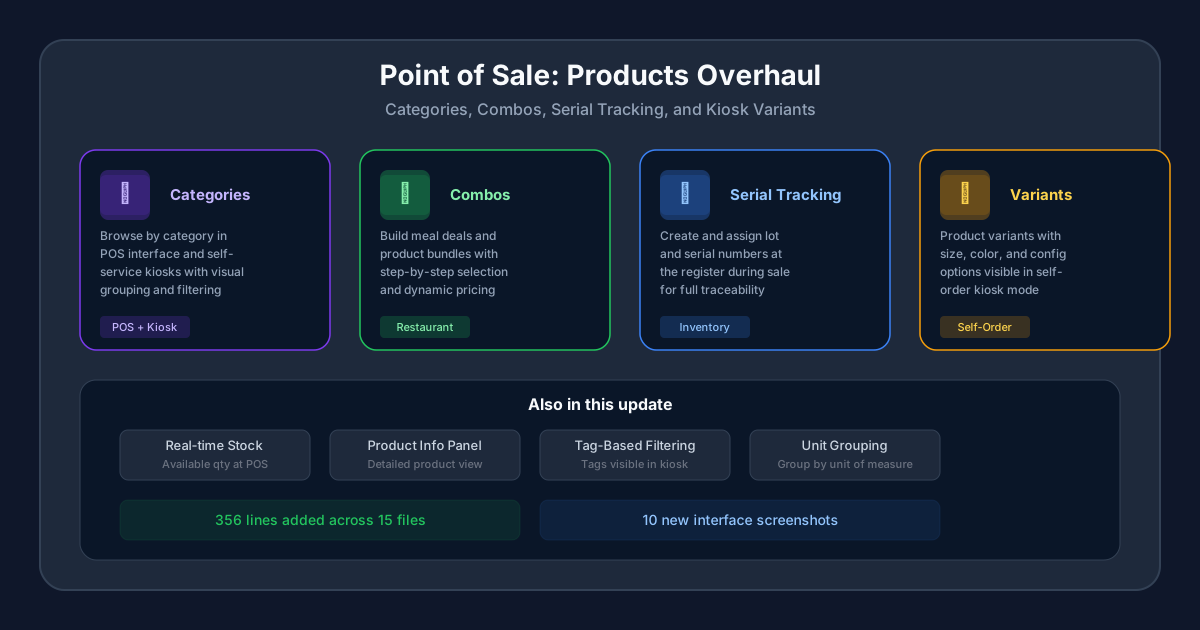
The products page inside Odoo’s Point of Sale has always been functional but flat. You could add products, set prices, and scan barcodes. What you couldn’t do — at least not without hunting through separate modules — was browse by category on a kiosk, build combo meals step by step, check real-time stock from the register screen, or let customers pick product variants on a self-order tablet. That changes with this update, which rewrites the POS products experience from the ground up.
This isn’t a cosmetic refresh. The update touches 15 files, adds 356 lines of new documentation, and ships 10 new screenshots showing features that didn’t exist in this form before. For retailers and restaurant operators using Odoo POS, the gap between what the software could do and what the documentation described has been closed.
Category Browsing Arrives in Kiosk Mode
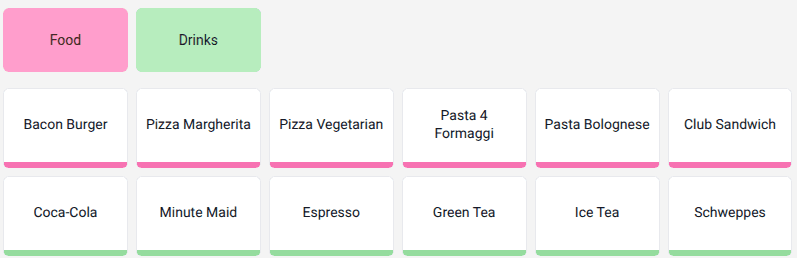
Product categories in Odoo POS have existed for a while, but their visibility was limited to the cashier-facing interface. Now, categories render directly in the self-service kiosk, giving customers a familiar browsing experience. Walk up to a restaurant kiosk, and you’ll see product categories laid out as visual tiles — tap “Beverages,” “Main Courses,” or “Desserts” to filter what’s shown.
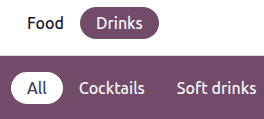
The grouping also extends to the cashier interface itself. Products can now be organized by category with visual separators, so a long product list becomes navigable rather than requiring cashiers to scroll or search.
Combo Meals Get a Proper Selection Flow
Combo products — the “pick a main, pick a side, pick a drink” bundles common in restaurants — now have a dedicated selection interface in POS. When a cashier or customer selects a combo product, the system walks them through each step: choose from a list of options for each combo slot, see the price impact of upgrades, and confirm the complete bundle before it hits the order.
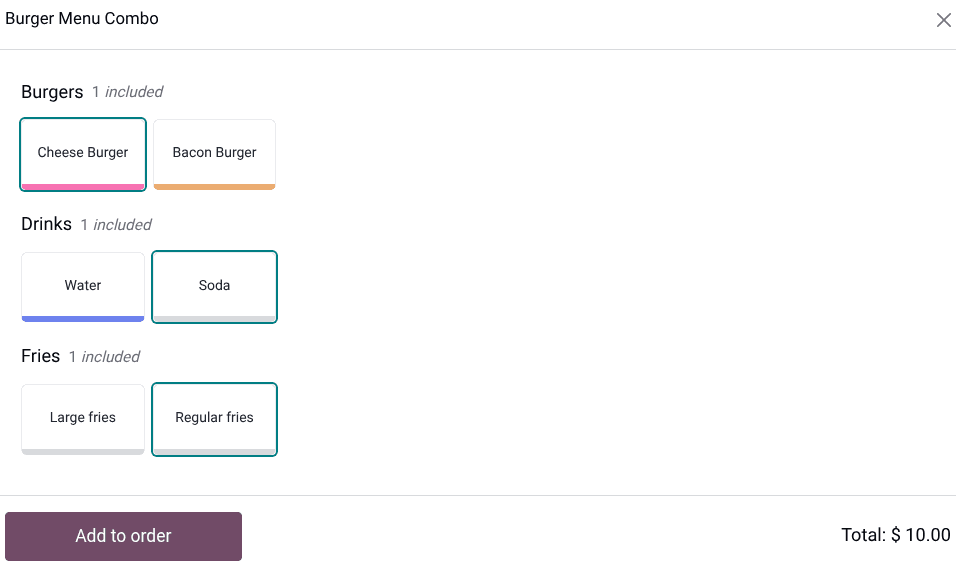
This replaces the awkward workaround where restaurants either set up individual combo items and relied on cashiers to manually group them, or used fixed-price products that couldn’t accommodate substitutions. The new flow handles pricing logic automatically, including cases where a premium substitution adds cost on top of the combo base price.
Serial Numbers Created at the Register
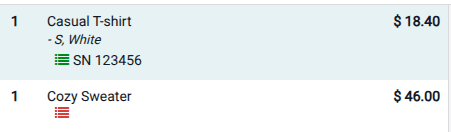
Retailers selling serialized products — electronics, high-value goods, anything requiring individual tracking — can now create and assign serial numbers directly during a POS transaction. Previously, serial numbers had to be pre-created in the Inventory module before the product could be sold through POS. That pre-work is no longer necessary.
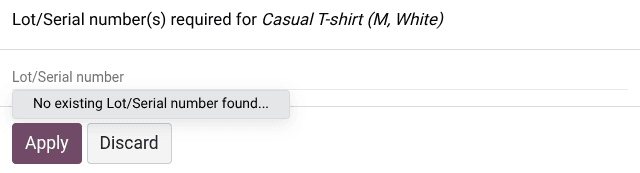
The cashier scans or manually enters a serial number at checkout, and the system creates the lot or serial record on the spot. This change is significant for businesses that receive products without pre-assigned serials, or for retailers who assign their own tracking numbers at the point of sale.
Real-Time Stock Visibility at the Register
Cashiers can now see available stock quantities directly in the POS interface. When a product is selected, the available quantity from the linked warehouse appears alongside the product details. No need to switch tabs, open the inventory module, or ask someone in the back to check.
For multi-location retailers, this is especially valuable. The stock count reflects the specific warehouse assigned to the POS, so a downtown store sees its own inventory, not the combined count across all locations. It’s a small addition that prevents the most common POS pain point: selling something that’s out of stock.
Product Information Window Gets a Makeover
The product detail view — what you see when you tap a product for more information — has been redesigned with a cleaner layout. It now shows a structured breakdown of the product’s properties: price, tax configuration, available quantity, barcode, category, and any custom notes.
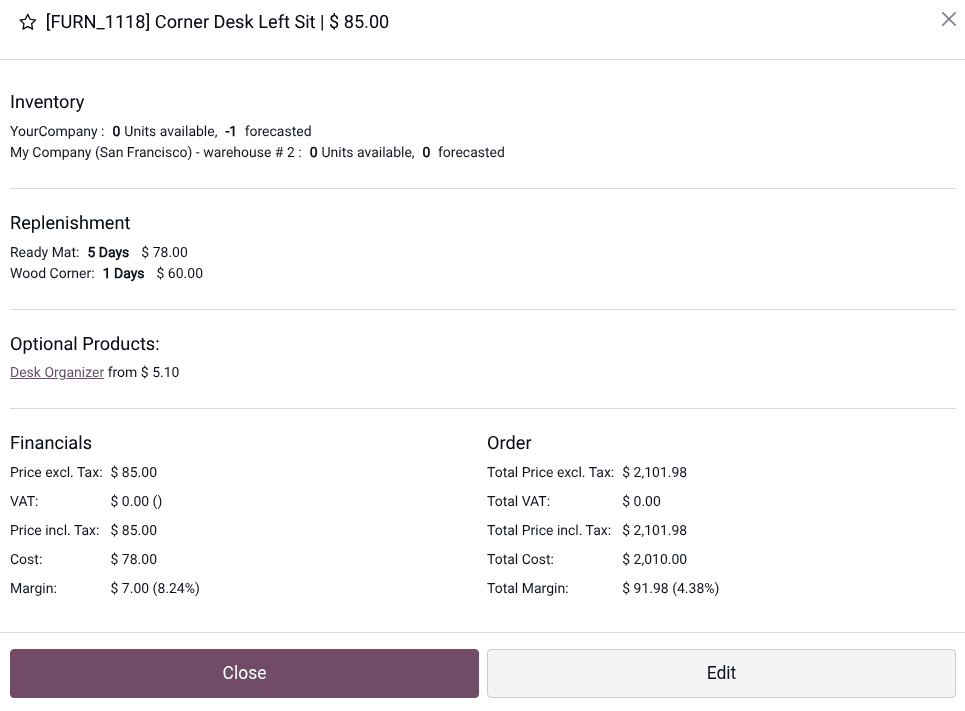
The old product popup was a wall of fields with no visual hierarchy. The new version groups related information together, making it faster for cashiers to verify product details or check configurations during a busy shift.
Product Variants Come to Self-Order
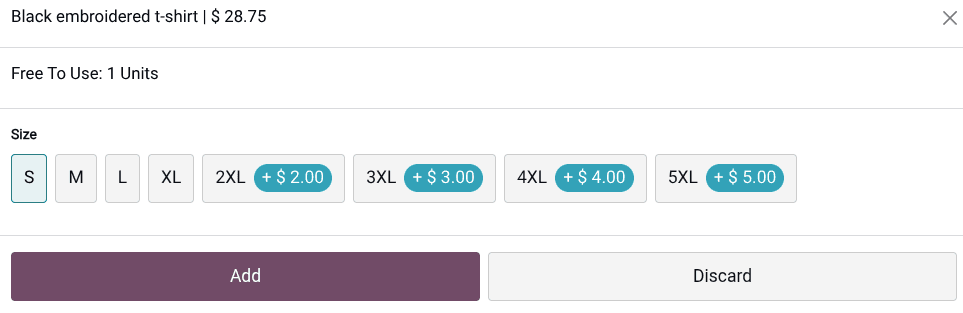
Product variants — the size, color, and configuration options that let one base product appear as multiple purchasable items — now render properly in the self-order kiosk. Customers browsing on a tablet or screen can select between a Small, Medium, and Large version of a drink, or choose between color options for a retail product, without cashier intervention.
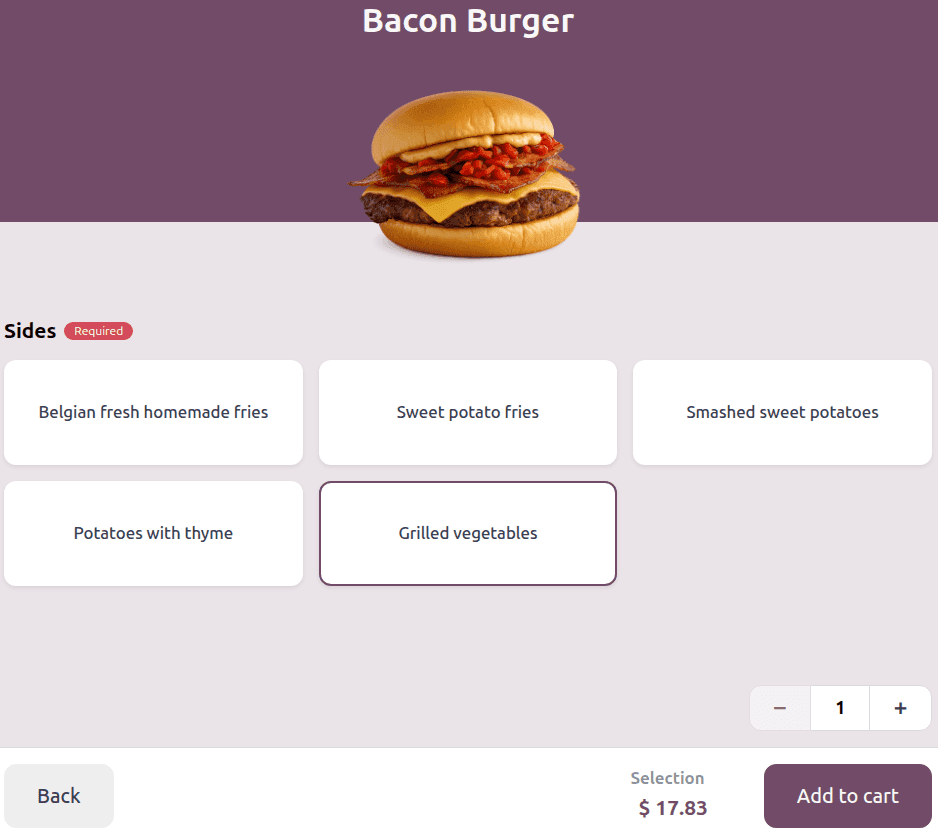
This was a notable gap in the self-order system. Variants worked fine on the cashier screen, but the kiosk displayed the base product with no way to choose a specific variant. Customers would order a generic item, and cashiers had to manually modify the order afterward. That friction is gone.
Tags Visible in Kiosk Mode
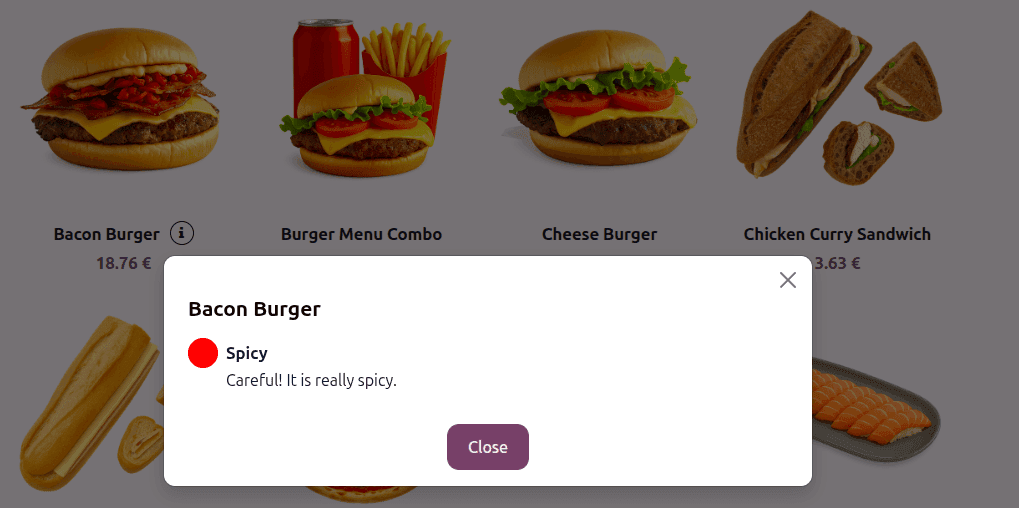
Product tags — the labels businesses use to flag items as “New,” “Popular,” “Spicy,” or any custom designation — now appear on product cards in the kiosk. This gives restaurants and retailers a way to guide customer choices without changing product names or descriptions.
Unit-Based Grouping for Specialized Retail
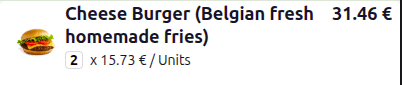
Products can now be grouped by unit of measure in the POS interface. For businesses selling items by weight, length, volume, or custom units, this grouping makes the product list more logical. Instead of mixing per-kilogram items with per-piece items in one long scroll, the interface separates them into clear groups.
Also in This Update: The TM-U220 Disappears
In a separate but related change, Odoo has quietly removed all references to the Epson TM-U220 from its receipt printer documentation. The TM-U220, a dot-matrix impact printer that was a staple of retail POS setups for years, is no longer listed as a compatible receipt printer. The documentation now focuses exclusively on thermal printers, which have become the standard for modern retail and restaurant environments.
It’s a small edit, but it signals that Odoo is cleaning up its hardware compatibility list to reflect what businesses actually deploy today. If you’re still running a TM-U220, it may still work — but it’s no longer part of the officially documented setup.
What This Means for Retailers and Restaurants
This products overhaul turns the POS from a transaction-processing screen into something closer to a product management hub. Categories, combos, serial tracking, stock visibility, and variant support aren’t individual features — they’re the building blocks of a POS that can actually run a modern retail operation without constant back-office support.
For restaurant operators, the combo builder and kiosk category browsing are the headline improvements. For retailers, serial number creation at checkout and real-time stock displays remove friction that used to require separate modules or manual workarounds. And for any business using self-order kiosks, variant selection and tag visibility bring the customer-facing experience up to par with what the cashier screen has offered for some time.