The Point of Sale module in any ERP tends to be where the rubber meets the road. It doesn’t matter how elegant your inventory system is if the person at the register can’t see whether something is in stock. It doesn’t matter how well your combo meals are configured if the checkout flow makes them slow to ring up. Odoo has just addressed a long list of these practical pain points in a single, sweeping update to how the POS handles products.
Stock Levels Visible Right at the Register
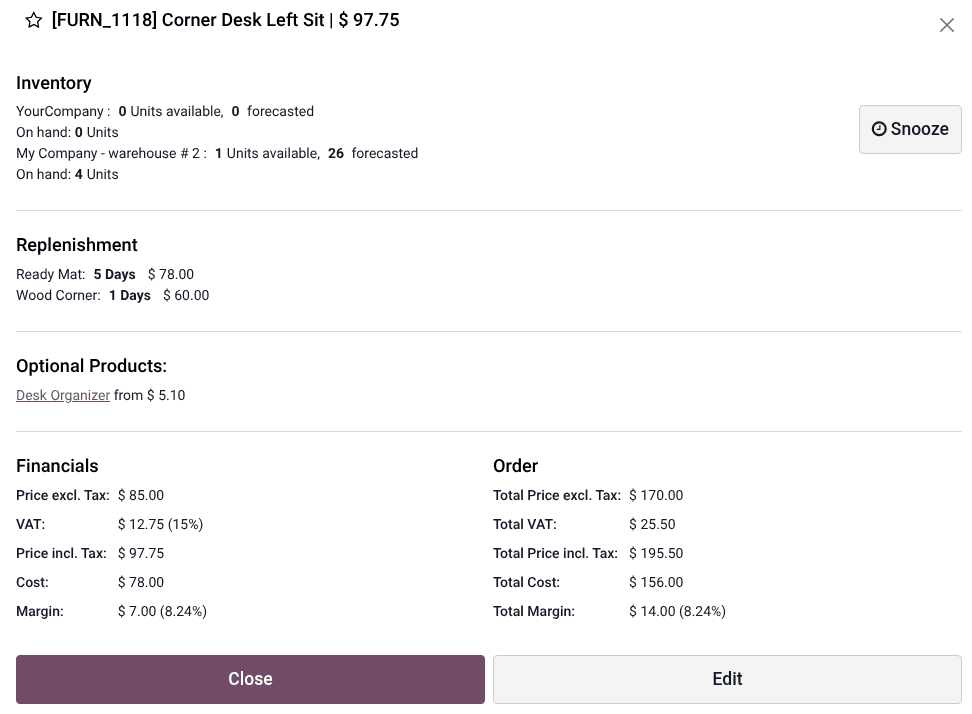
Cashiers can now see three stock metrics directly from the POS register: available quantity, forecasted quantity, and on-hand stock. This information appears in the product information window alongside pricing, tax details, cost, and margin data. No more switching to the inventory module to check if a product is actually available before promising it to a customer.
The product information window itself has been expanded significantly. Beyond stock levels, it shows optional products for upselling, supplier costs for margin calculations, and replenishment triggers. For franchise operators and multi-location retailers, having this data at the point of sale eliminates the back-and-forth communication that typically slows down customer service.
Combo Meals That Build Themselves
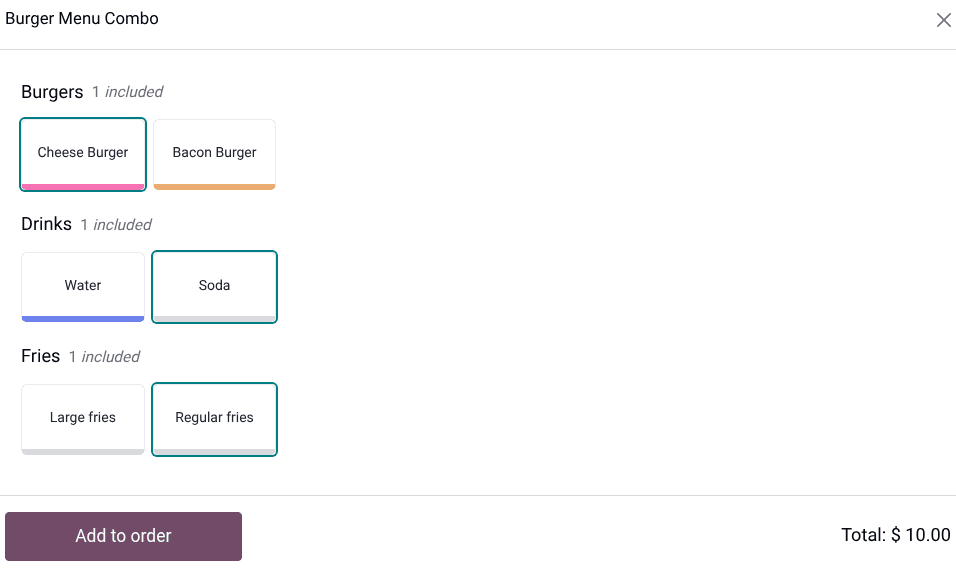
Product combos — the classic “meal deal” pattern where a customer picks one item from each category at a bundled price — have been overhauled with a guided selection flow. When a cashier adds a combo product, the POS walks through each category step by step, showing available options with their prices. After adding the combo to the cart, individual selections can still be changed by clicking the combo line.
The more interesting addition is auto-detection. If a customer asks for items individually that happen to match a predefined combo, Odoo now recognizes the pattern and automatically groups them as a combo in the cart. A cashier ringing up a burger, fries, and a drink separately will see the system detect that these match the lunch combo and apply the bundled pricing. It’s a small piece of intelligence that prevents the most common source of cashier error in food service: forgetting to ring items up as a combo.
Serial Numbers Created and Assigned During Checkout
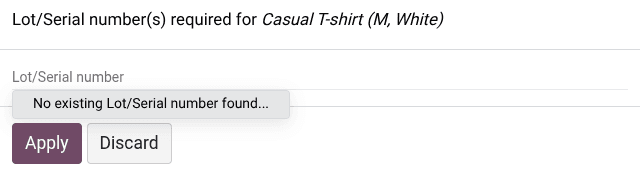
For retailers selling serialized products — electronics, luxury goods, anything with a warranty — tracking serial numbers at the point of sale has historically required pre-assigning serial numbers in the back office. Odoo now lets cashiers create and assign serial numbers directly during checkout.
A popover appears when adding a tracked product, offering the option to select an existing serial number or create a new one on the spot. The system also shows tracking status icons so the cashier knows whether a product requires a serial number, a lot number, or has no tracking requirement. If a lot-tracked product has passed its expiration date, a warning appears when it’s added to the cart.
Category Browsing and Tags Come to Self-Service Kiosks
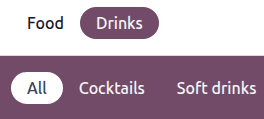
Self-service kiosks have gained category-based navigation. Products can be grouped into POS-specific categories (distinct from the standard product categories used elsewhere in the system), each with its own label, color, and image. Categories can be nested with parent categories, and administrators can restrict which categories appear on which POS terminal.
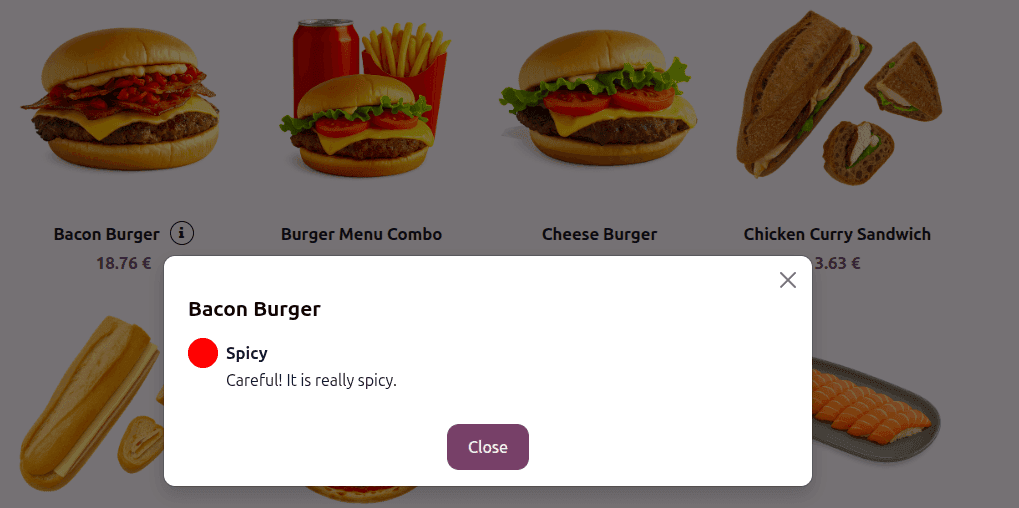
Product tags — lightweight labels like “New,” “Spicy,” or “Bestseller” — now appear in the self-ordering interface. Each tag can have a custom color, an image, and a customer-facing description. For restaurant kiosks, this means dietary labels, allergen warnings, and promotional badges can be displayed directly on the ordering screen without cluttering the product name.
Granular Control Over Where Images Appear
A new image visibility matrix gives administrators fine-grained control over which images appear where. Product images, tag images, variant images, and category images can each be independently shown or hidden across three contexts: the main POS register, the customer-facing display, and the self-ordering kiosk.
This level of control matters because the same product catalog often serves very different purposes across these three screens. The customer display might benefit from large, appetizing food photos. The cashier’s register might work better with compact text listings. The self-ordering kiosk needs enough visual information for customers to make decisions independently. One-size-fits-all image settings forced compromises; per-context visibility removes them.
Product Variants in Self-Order Mode
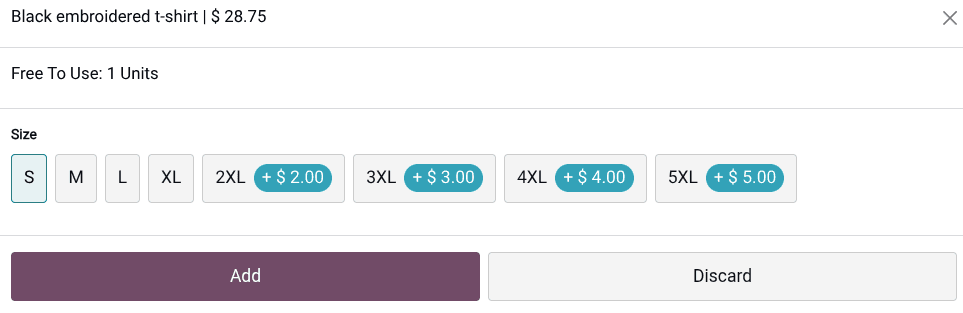
Product variants — the size, color, and configuration options that multiply a single product into many sellable items — now work properly in self-ordering kiosks. When a customer selects a product with variants, the kiosk presents the available options for selection. This required enabling variants through one of several modules (Inventory, Sales, eCommerce, Purchase, or Rental) and configuring attributes and values on the product form.
For apparel retailers and any business selling configurable products through self-service terminals, this fills a gap that previously forced either a simplified product catalog on kiosks or a workaround involving separate products for each variant.
The Bigger Picture
Taken individually, each of these changes is incremental. Taken together, they represent a significant maturation of Odoo’s POS module. The common thread is giving the point of sale access to information and capabilities that previously lived exclusively in back-office modules — stock levels from Inventory, serial tracking from Manufacturing, variant configuration from Sales. The register is no longer a dumb terminal that just processes payments; it’s becoming a genuine operational hub for retail staff.