Walk into any quick-service restaurant that opened in the last two years, and odds are you’ll order from a screen instead of a person. Self-service kiosks went from novelty to expectation faster than most POS vendors could adapt. The standard response from ERP companies has been “integrate with a third-party kiosk provider” — which means another vendor, another monthly fee, another system that might lose sync with your inventory at exactly the wrong moment.
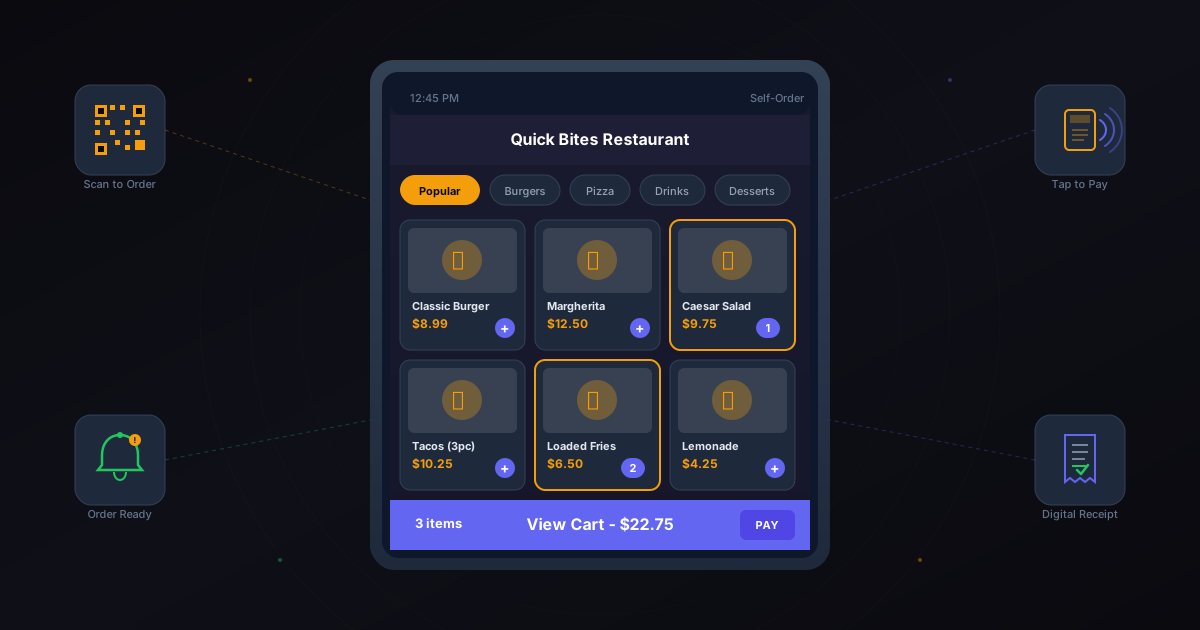
Odoo 19 takes a different approach: the kiosk is now built directly into the Point of Sale module. No separate app. No additional hardware beyond the tablet you probably already have. Enable it in settings, point a tablet at the right URL, and your customers are ordering on their own.
From Settings Toggle to Working Kiosk in Under Five Minutes
The setup lives in the POS settings panel under “Mobile Self-Order & Kiosk.” Toggle it on, select whether you want QR-based mobile ordering, a dedicated kiosk display, or both, and choose which product categories should appear on the customer-facing interface. That’s the configuration. The system generates a URL and optional QR code that routes directly to the ordering interface.
For restaurants, this means any iPad or Android tablet can become a kiosk. Mount it on a stand near the entrance, load the URL, and customers see a branded menu with photos, descriptions, and categories. For retail stores, the same interface lets customers browse products, check availability, and build a cart that a sales associate can finalize.
The QR code option extends this to customers’ own phones. Print QR codes on table tents in a restaurant, and diners order from their seats without downloading anything. The order appears in the kitchen display automatically, tied to their table number. No app installation friction. No Bluetooth pairing headaches.
Preset Switching That Eliminates Workflow Confusion
One of the cleverer additions is preset mode switching. In a typical restaurant, orders come in three flavors: eat-in, takeout, and delivery. Each has different tax implications, different packaging requirements, and often different pricing. Previously, cashiers or customers had to navigate through settings menus to specify which type of order they were placing.
Odoo 19 introduces a two-click preset system. The kiosk opens with large, obvious buttons for each order type. Customer taps “Eat In” or “Takeout,” and the entire order gets tagged appropriately. Tax rules adjust automatically. Receipt formats change. Kitchen tickets get the right preparation labels. No menu diving, no cashier intervention needed to set the order type after the fact.
For businesses that operate multiple service modes from a single location — a café that does both dine-in and takeaway, or a retail store with both walk-in and curbside pickup — the preset system keeps order types clean without training staff on toggle sequences.
Combo Deals That Build Themselves on Screen
The self-service interface handles combo deals natively. Configure a lunch combo in the back office — pick an entrée, a side, and a drink for a fixed price — and the kiosk walks customers through the selection step by step. The interface shows which items qualify for each slot, highlights upsell options, and calculates the discount in real time.
This extends to mix-and-match promotions and free item offers. “Buy any two pizzas, get a garlic bread free” logic runs entirely on the customer-facing screen, with the discount applied automatically when the qualifying items land in the cart. Customers see the savings without needing a coupon code or a cashier to manually apply the deal.
The promotional engine is the same one running behind the counter, so there’s no risk of the kiosk offering a deal that the main POS doesn’t recognize. Prices, promotions, and availability are synchronized in real time across all ordering interfaces.
Course-Based Ordering for Restaurants That Pace Their Kitchen
For sit-down restaurants using the table service model, orders placed through the self-service interface can be grouped by course. Starters go to the kitchen first. Mains are held until the starters are cleared. Desserts wait until the mains are done. This isn’t just a display convenience — it actually controls the flow of tickets to the kitchen preparation display.
The kitchen receives orders staged by course, with visual indicators showing when the previous course was served. No more premature main courses arriving while customers are still picking at their appetizers because a server forgot to hold the order.
Payment Without a Cashier
A self-service kiosk is only truly self-service if customers can pay without human help. Odoo 19 expands its payment terminal compatibility to include devices from Viva Wallet and Glory cash machines, alongside the existing Adyen and SumUp integrations. Customers tap their card at the terminal connected to the kiosk, and the order is confirmed.
For businesses that aren’t ready to accept payment at the kiosk, orders can also flow to the counter for payment — the kiosk handles the ordering portion, and a cashier finalizes the transaction. This hybrid mode works well for businesses transitioning gradually to full self-service.
Refunds also got simpler. If a customer needs a refund on a kiosk order, it can now be processed directly through the connected payment terminal instead of requiring a manual cash refund or a separate back-office operation.
Dark Mode and Regional Compliance
The entire POS interface — including the kiosk view — now supports dark mode. This sounds cosmetic, but for kiosks mounted in dimly lit restaurants or bars, it reduces glare and visual fatigue for both staff and customers. The interface adapts to ambient conditions rather than blasting a white screen in a low-light environment.
On the compliance side, the kiosk system respects fiscal requirements for France, Italy, Belgium, and Australia out of the box. Each country’s receipt requirements, tax handling rules, and reporting obligations work correctly whether the order comes from a cashier terminal or a customer kiosk. No separate compliance configuration needed for each ordering channel.
The Bottom Line for Hospitality and Retail
The self-service kiosk isn’t a separate product or an upsell module. It’s a feature of the existing POS application, included in the standard license. For businesses already running Odoo POS, the kiosk capability is an update away. For new implementations, it removes the “which kiosk vendor should we use” question entirely — the answer is the same system handling everything else, with zero integration overhead.