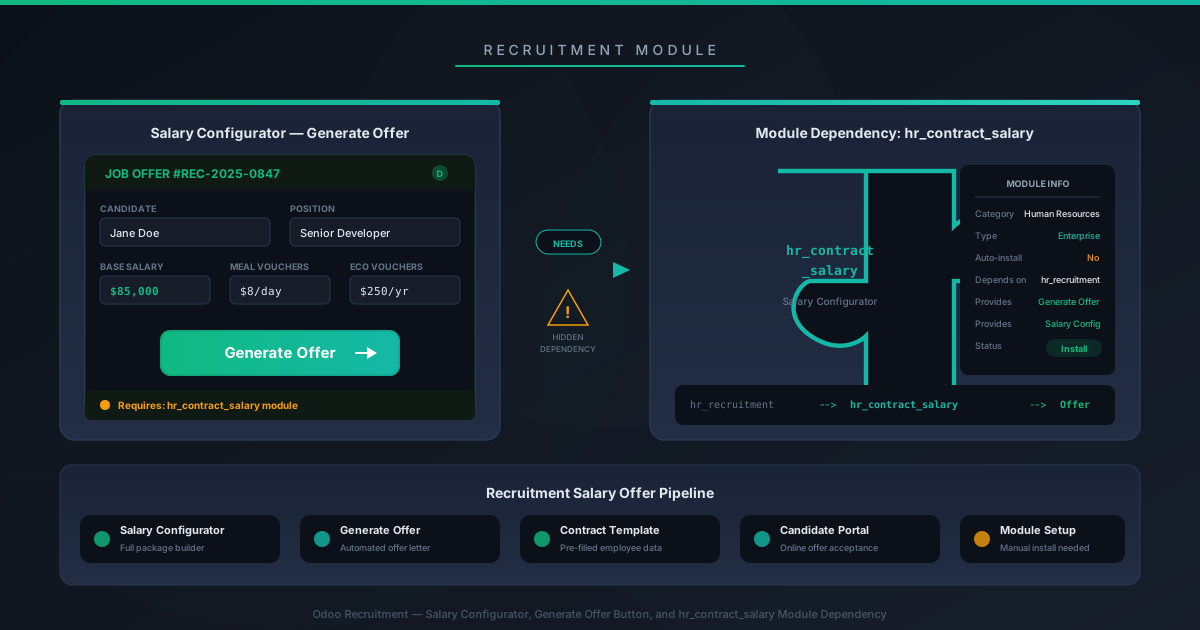
You’ve set up your recruitment pipeline in Odoo. Job positions are posted, applications are flowing in, and you’ve moved your top candidate through every stage. Now it’s time to send them an offer. You open the applicant record, look for the Generate Offer button, and… it’s not there. No button. No error. No hint about what’s missing.
This is one of those Odoo gotchas that wastes an unreasonable amount of time for HR teams. The Generate Offer button in the Recruitment module has a hard dependency on the Salary Configurator module. If that module isn’t installed, the button simply doesn’t render. There’s no placeholder, no tooltip saying “install Salary Configurator to enable this feature,” and no mention of the dependency in the Recruitment module’s description.
The Fix Takes Two Minutes
Navigate to the Apps menu, search for “Salary Configurator,” and install it. Once activated, return to your Recruitment pipeline, open the applicant record, and the Generate Offer button will appear in the action bar. That’s it. The entire fix is installing one module.
The frustrating part isn’t the solution — it’s that you have to know the solution exists. Odoo’s Recruitment module works perfectly well without Salary Configurator for everything up to the offer stage. You can create job positions, publish them to your website, receive applications, schedule interviews, and move candidates through Kanban stages. It’s only at the final step — generating the formal offer — that the missing dependency reveals itself, and it does so through absence rather than any kind of feedback.
Why This Trips Up So Many Teams
The core issue is a UX pattern where Odoo hides features when their dependencies aren’t met, rather than disabling them with an explanation. This design choice appears across several modules, but it’s particularly painful in Recruitment because the offer stage is the climax of a workflow that might span weeks. An HR manager who has been using the module successfully for the entire hiring process has no reason to suspect that the final action requires a separate installation.
It also doesn’t help that “Salary Configurator” sounds like it belongs to the Payroll workflow rather than Recruitment. The module handles salary package configuration and offer template generation, which are functionally part of the recruitment-to-onboarding pipeline. But the name doesn’t signal that, so HR administrators setting up their recruitment workflow for the first time rarely think to install it proactively.
The Broader Pattern
This kind of invisible module dependency is a recurring theme in Odoo’s modular architecture. The platform’s strength — installing only what you need — creates a failure mode where features you expect to exist simply don’t appear, and the diagnosis requires knowing which module provides which UI element. For Odoo veterans, this is muscle memory. For teams adopting the platform for the first time, every hidden dependency is a support ticket and a dent in confidence.
The documentation has now been updated to include an explicit note at the relevant point in the recruitment workflow: the Salary Configurator module must be installed to use the Generate Offer button. It’s a small addition — one sentence in a documentation page — but it addresses a question that has likely been asked thousands of times in Odoo forums, partner channels, and internal helpdesks.
If you’re setting up Odoo Recruitment for the first time, save yourself the troubleshooting session: install Salary Configurator alongside Recruitment from day one. Your future HR team will thank you when they reach the offer stage and everything just works.