Documentation architecture sounds like a niche concern until you’re the operations manager trying to figure out how to configure a rental product in Odoo and the reference page reads like a single unbroken essay. You scroll past the section you need, miss the field you were looking for, and end up searching the forum instead.
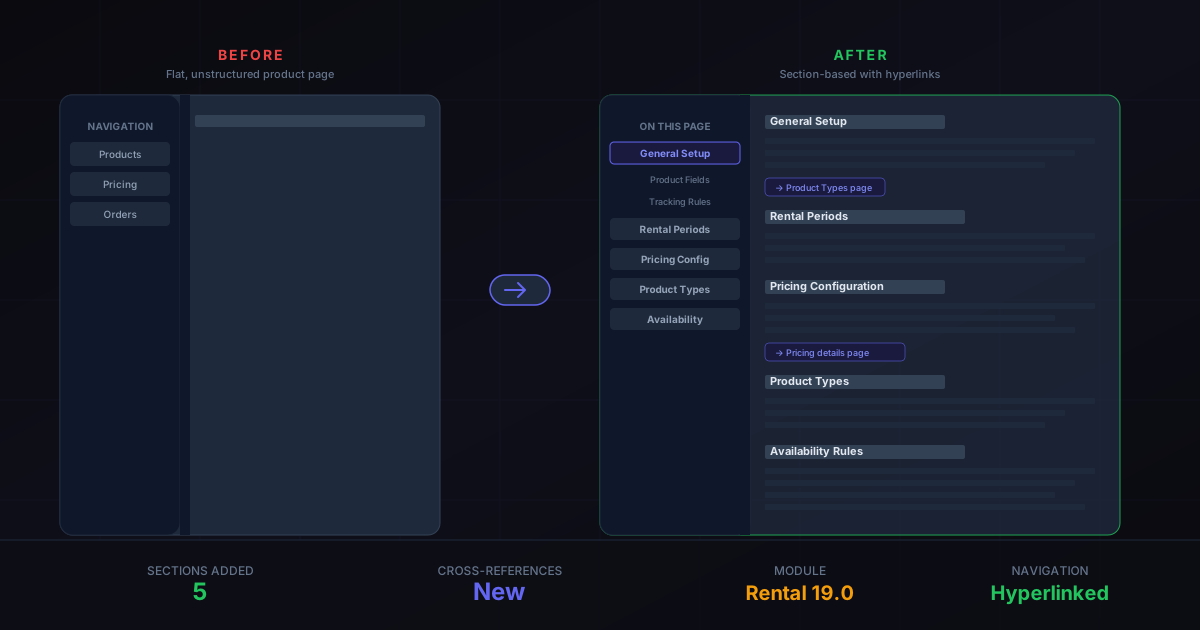
Odoo just restructured the Rental module’s products page to fix exactly this problem. The flat, monolithic layout has been replaced with distinct sections, each addressing a specific configuration step, with in-page hyperlinks that let users jump directly to the topic they need.
What Changed in the Page Layout
The products documentation page now breaks down into clearly delineated sections rather than flowing as continuous prose. Each section covers one aspect of rental product configuration: general setup, rental periods, pricing, product type distinctions, and availability rules. The section headings serve double duty as navigation anchors, meaning the table of contents on the left sidebar actually takes you where you expect.
More notably, the sections have been reordered to match the sequence that most administrators follow when setting up a new rental product. Instead of starting with edge cases and working backward, the page now opens with the fields every rental product needs, then progressively covers more specific configurations. It’s the kind of structural change that doesn’t add any new information but makes the existing information dramatically easier to use.
Cross-References Replace Dead Ends
The previous version of this page mentioned related concepts — product types, pricing tiers, unavailability rules — without linking to the pages that explained them. If you read that “goods and services behave differently in the Rental module” and wanted to understand the distinction, you had to manually navigate to the Product Types page.
The restructured page adds explicit hyperlinks wherever a related topic is referenced. The Product Types page, which explains the distinction between goods (physical items with inventory tracking) and services (time-based offerings without stock), now gets direct cross-references from every relevant section. Pricing configuration links to the pricing documentation. Availability constraints link to the scheduling rules.
These hyperlinks seem like a small addition, but they change how people navigate the Rental module documentation. Instead of reading the products page as an isolated reference, users can now follow a web of connected pages that cover the full configuration workflow. The products page becomes a hub rather than a dead end.
Why Documentation Structure Matters for ERP
ERP software is inherently complex, and the Rental module sits at an intersection of inventory management, pricing logic, scheduling, and sales workflows. A single product in the Rental module touches configuration options across all of these domains. When the documentation is flat and disconnected, administrators piece together the configuration process from fragments, which leads to misconfigured products, incorrect pricing, and support tickets that shouldn’t need to exist.
Structured documentation with clear sections and cross-references reduces this friction in a measurable way. Users find what they need faster, make fewer configuration mistakes, and spend less time in support channels asking questions that the documentation already answers — just not in a way anyone could find.
The Broader Rental Module Evolution
This restructuring is part of a sustained investment in the Rental module across recent Odoo versions. The module received a dedicated Product Types configuration page that separates goods from services, each with their own tracking rules and app integrations. Order creation was consolidated into a unified workflow with shift scheduling and time tracking. Duration-based dynamic pricing was added with automatic rate tier switching.
The product catalog restructuring is the documentation catching up to the feature development. When the module was simpler, a flat page worked. Now that rental products involve product type selection, multi-tier pricing, availability period restrictions, and integration with Inventory and Sales, the documentation needs architecture to match the complexity.
What This Means for Rental Operators
If you’re already using the Odoo Rental module, the product configuration itself hasn’t changed. Every field, every option, every workflow operates exactly as before. What’s different is that the next time you need to look something up — whether it’s how unavailability days work, or what the difference between a rental good and a rental service means for inventory tracking — you’ll find the answer in a clearly labeled section instead of buried in the middle of a continuous page.
For new implementations, the restructured documentation offers a guided path through initial setup. Follow the sections in order and you’ll cover every configuration step without doubling back or wondering what you missed. The cross-references fill in the context that a sequential reading naturally lacks, giving you the full picture without requiring you to already know where everything lives.