There’s a pattern in ERP design where features get added to the nearest available screen instead of the most logical one. Over time, you end up with forms that try to handle too many concerns at once — the quotation page that’s also a shipping configuration tool, the invoice that’s also a payment terminal. Each feature makes sense individually, but together they slow down the people who use the form hundreds of times a day.
Odoo just cleaned up one of these cases. Version 19.3 removes delivery method features from the product variant quotation page, pulling shipping configuration out of the order creation workflow entirely. Salespeople now see a focused interface for selecting product variants without delivery logistics competing for attention.
Two Ways to Add Variants, Both Now Cleaner
Odoo offers two methods for adding product variants to a quotation, and both benefit from the streamlined page.
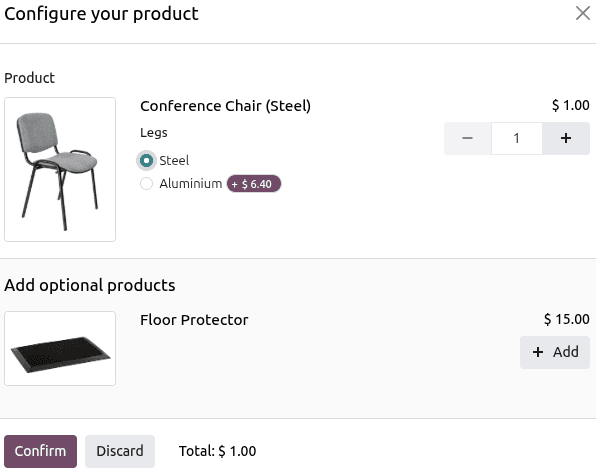
The Product Configuratoris the default. When a salesperson adds a multi-variant product to an order line, a popup appears showing the available attribute combinations — color, size, material, whatever the product defines. It works like an online shopping experience: pick your options, confirm, and the configured variant drops into the order line.
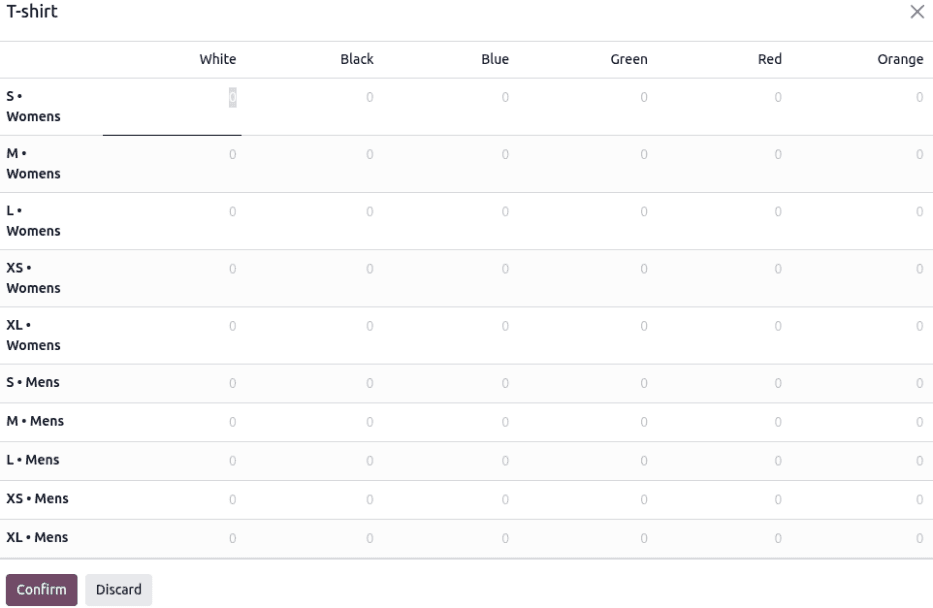
The Order Grid Entry is the alternative for bulk operations. Instead of selecting one variant at a time, it presents a matrix of all available combinations with quantity fields. A furniture distributor ordering office chairs in three colors and four sizes can fill in quantities across the entire grid and hit confirm once, populating all twelve order lines simultaneously.
Previously, both of these interfaces shared screen real estate with delivery method controls. That meant salespeople building a complex multi-variant order had to visually filter past shipping options to focus on the actual product selection. Not a crisis, but a daily friction point for high-volume teams.
The Setup Still Has a Naming Quirk
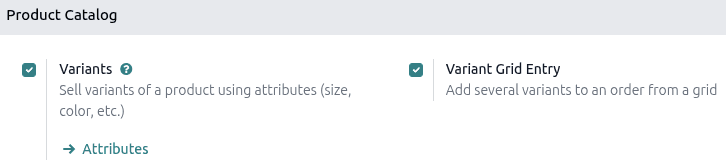
Enabling variant selection requires two toggles in the Sales app settings: Variants and Variant Grid Entry, both under the Product Catalog section. The grid option then appears on individual product forms under a different label — Order Grid Entry. Same feature, two names depending on where you’re looking.
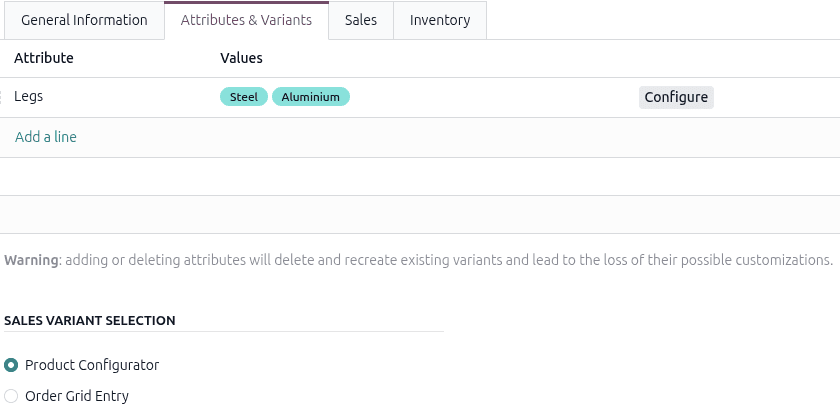
On the product form itself, the Attributes & Variants tab is where you define which attributes a product supports. A product needs at least two values on an attribute before the variant selection interface activates on quotations. A single-value attribute won’t trigger the configurator or grid because there’s nothing to choose between.
Why Separation Matters More Than It Seems
Removing delivery methods from the variant quotation page isn’t a flashy change. Nobody puts it in a keynote. But it reflects a design philosophy that compounds: each screen should handle one concern well rather than multiple concerns passably.
A salesperson building a 30-line quotation with complex variant combinations is making dozens of micro-decisions per minute. Every unrelated field on the screen is cognitive noise. Delivery method configuration happens once per order, not per line item, so it belongs at a different stage in the workflow.
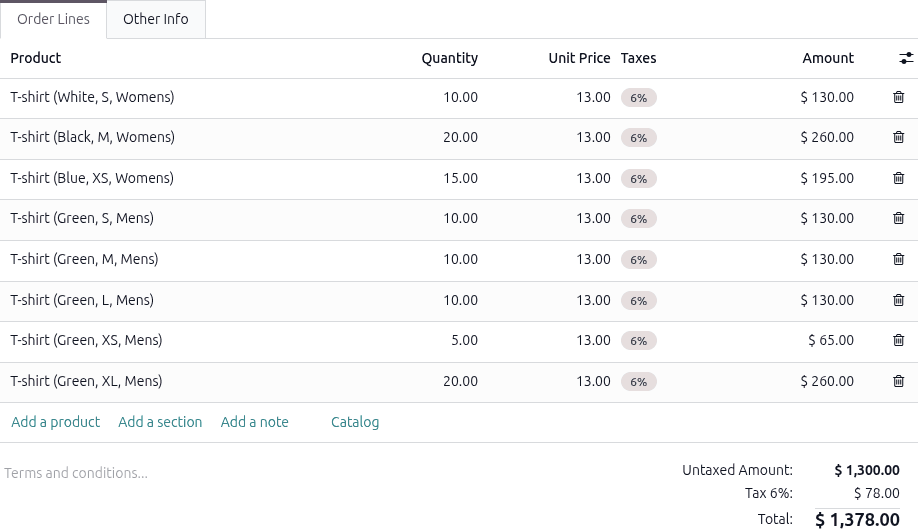
The practical result: the quotation creation step is now purely about what the customer wants to buy. Shipping logistics are handled in their own context, where the salesperson can focus on carrier selection, delivery dates, and cost calculations without variant configuration competing for attention. Two cleaner steps instead of one cluttered one.
What Changes for Existing Workflows
For teams already using variant quotations, the transition is invisible. The product configurator and order grid work exactly as before — they just no longer share the page with delivery controls. Shipping configuration is still available; it’s just been moved to where it logically belongs in the order completion process.
For new implementations, this means one fewer thing to explain during training. The quotation page does what its name says: it builds quotes. Everything else happens elsewhere.