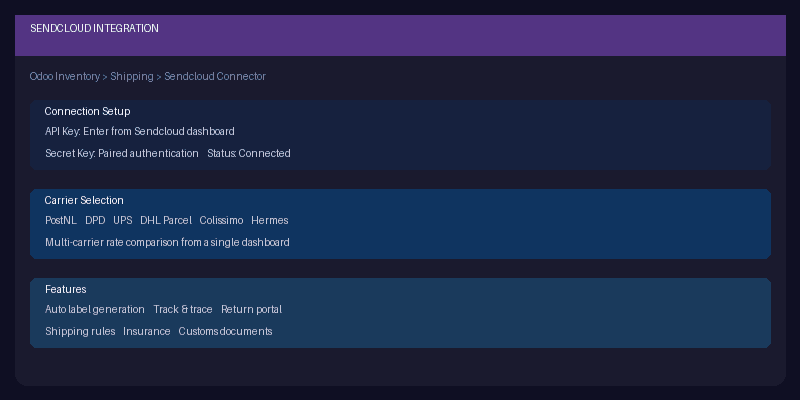
Sendcloud has become the default shipping middleware for European ecommerce operations that need to offer multiple carriers without managing individual integrations for each one. One connection to Sendcloud gives you PostNL, DPD, UPS, DHL Parcel, Colissimo, Hermes, and dozens of other carriers through a single API. Odoo’s Inventory module has supported Sendcloud for a while, but the setup documentation was either missing or buried in general shipping guides.
That changes with a new dedicated Sendcloud integration page built in what Odoo is calling a “magic sheet” format — a condensed, step-by-step setup guide designed to get the integration running as quickly as possible without background reading or cross-referencing.
What the Magic Sheet Covers
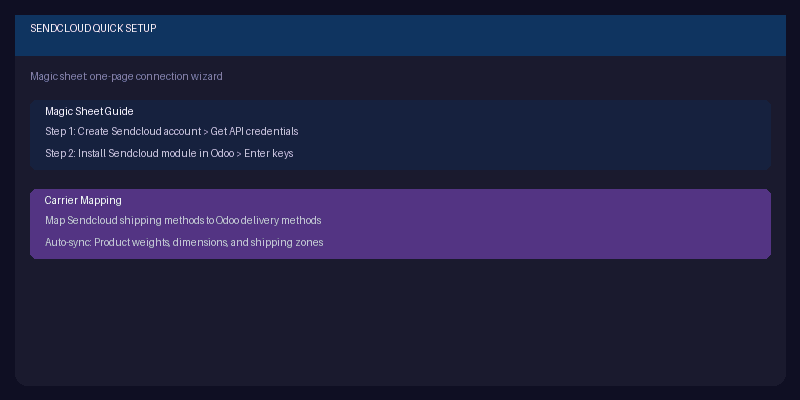
The guide follows a two-phase approach. Phase one is the connection: create a Sendcloud account if you don’t have one, grab the API key and secret key from the Sendcloud dashboard, install the Sendcloud module in Odoo, and enter the credentials. Once the keys are validated, Odoo pulls in the available carriers and shipping methods from Sendcloud automatically.
Phase two is mapping: connect Sendcloud’s shipping methods to Odoo’s delivery methods so that when a sales order is confirmed, the system knows which carrier and service level to use. Product weights and dimensions sync between the two systems, so rate calculations are accurate without manual data entry on both sides.
Why Sendcloud Matters for European Fulfillment
If you ship within Europe, carrier diversity isn’t a nice-to-have — it’s a cost optimization lever. PostNL might be cheapest for Netherlands domestic, DPD for Germany, Colissimo for France, and Royal Mail for the UK. Without a shipping aggregator, managing those individual contracts, label formats, and tracking integrations is a full-time logistics job.
Sendcloud normalizes all of that into one interface, and Odoo’s integration inherits those benefits. Set up shipping rules in Sendcloud (if a package weighs under 2kg and ships to Belgium, use bpost), and Odoo picks the right carrier automatically at order confirmation. Labels print from the delivery order. Tracking numbers push to the sales order. Return labels can be included in the shipment or generated through Sendcloud’s return portal.
The “Magic Sheet” Format
The format itself is worth noting. Odoo has been experimenting with these condensed, single-page setup guides for integrations that have a clear start-to-finish configuration path. Instead of the traditional documentation structure — concept introduction, prerequisites, configuration, usage, troubleshooting — the magic sheet assumes you already decided to use the integration and just need the steps.
It’s a good model for third-party connector documentation. Nobody reading a Sendcloud setup page needs to be convinced that shipping integrations are useful. They need credentials, field names, and the right order of operations. The magic sheet delivers exactly that, and the Sendcloud page is the latest integration to get this treatment.
For fulfillment teams already using Sendcloud independently, connecting it to Odoo means shipping decisions, label generation, and tracking all happen inside the same system where orders and inventory live. For teams evaluating shipping options for European markets, this is the fastest path from “we need to ship to 15 countries” to actually doing it.