
Odoo has quietly added one of the most requested shipping integrations for teams operating in South Asia and emerging markets. Shiprocket — the Indian logistics aggregator that connects sellers to more than 25 courier partners and covers deliveries to over 220 countries — now works as a native carrier inside Odoo’s Inventory module. No middleware, no custom scripts, no third-party connectors. You configure it once from the Inventory settings and it handles everything from rate calculation to label printing.
For anyone who has been wiring up Shiprocket through Zapier workarounds or custom API scripts, this is the end of that chapter. The integration sits alongside existing carriers like FedEx, UPS, and DHL in Odoo’s shipping method configuration — a first-class citizen, not a bolt-on.
Setting Up the Connection
The setup starts on the Shiprocket side. You need an API user with specific module permissions, which Shiprocket generates from its platform settings. That gives you a set of credentials that Odoo uses to authenticate every request.
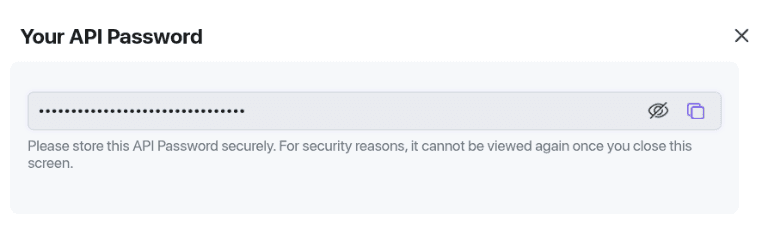
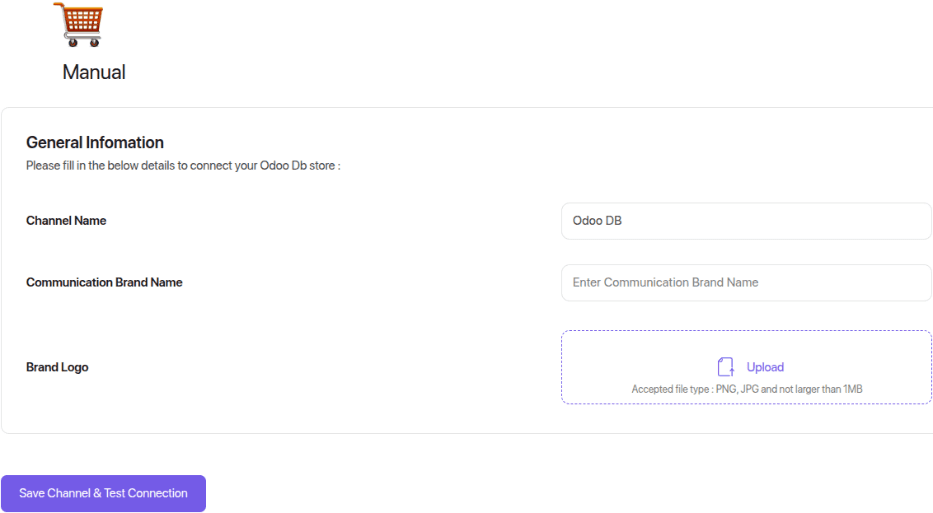
Next comes the sales channel. Shiprocket organizes shipments through channels, and the Odoo integration requires a manual channel type rather than an automated marketplace connection. This is a deliberate choice — it keeps Odoo in control of order creation rather than letting Shiprocket pull orders from an external platform.
Courier Selection and Priority
One of the more useful aspects of the integration is courier prioritization. Shiprocket aggregates multiple courier partners, and the configuration lets you set which couriers should be used first based on your delivery priorities — cost, speed, or reliability. This is configured directly within the Shiprocket dashboard, and the priority settings carry through to every shipment Odoo creates.
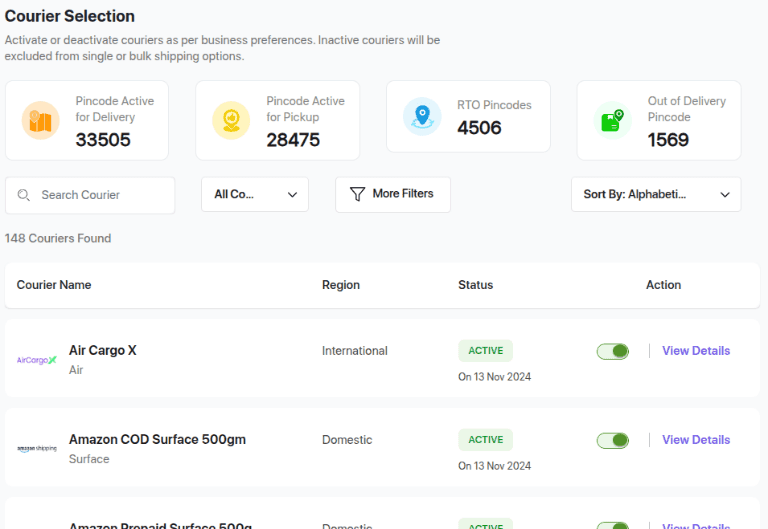
The practical effect is that warehouse teams don’t have to think about which courier to use. They validate the delivery in Odoo, and the system routes it through the highest-priority available courier automatically. If the preferred carrier can’t serve that particular route, the next one in the priority list takes over.
Inside Odoo: Delivery Method Configuration
On the Odoo side, enabling the integration starts in Inventory → Configuration → Settings, where you toggle the Shiprocket connector. Once enabled, you create a new delivery method and enter your Shiprocket credentials — the API email, password, and sales channel ID.
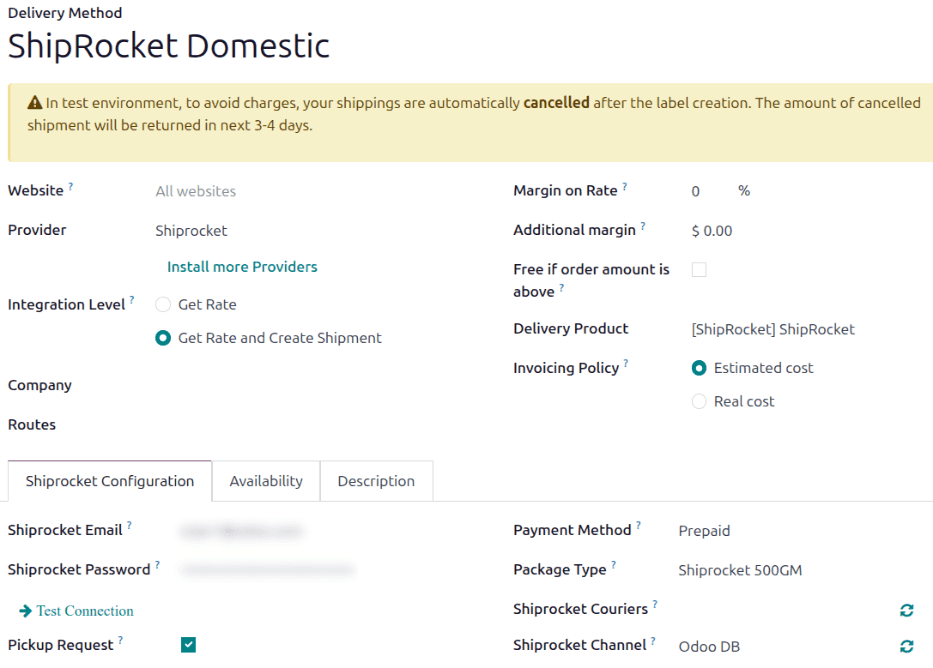
The delivery method form also includes environment toggling between test and production modes and a debug logging option. The test environment lets you validate the entire flow — from rate calculation through label generation — without creating real shipments in Shiprocket’s system.
The Shipping Workflow
Once configured, the shipping workflow is straightforward. A sales order with a Shiprocket delivery method attached triggers rate calculation at confirmation. The system pulls rates based on the destination, package weight, and courier priority settings.
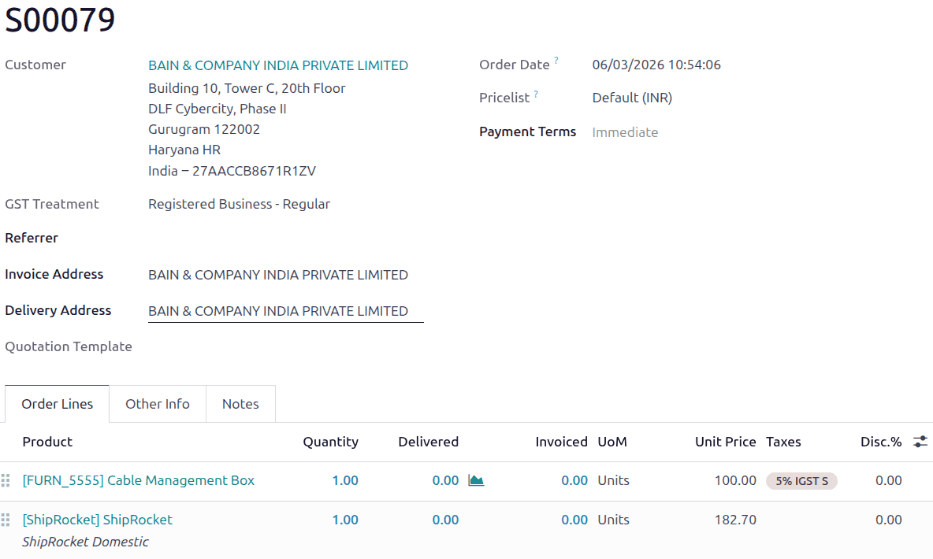
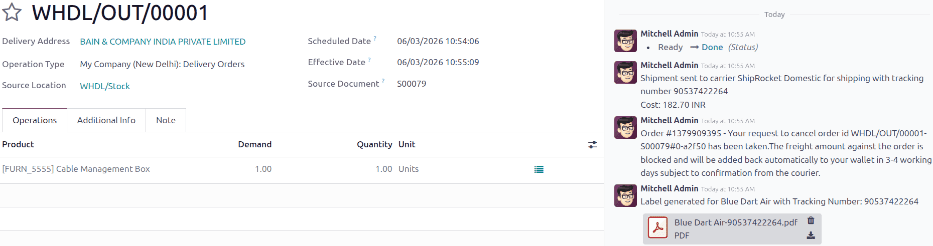
When the warehouse validates the delivery order, the integration does its most valuable work: it automatically generates the shipping label and, depending on the courier, provides a tracking number. No manual login to Shiprocket, no copy-pasting tracking information. The label prints directly from Odoo.
Handling Edge Cases
The integration accounts for several real-world shipping scenarios that simpler integrations often miss. Package weight splitting is built in — if a shipment exceeds the courier’s weight limit, the system automatically splits it into multiple packages. Customer records need a valid phone number, email address, and complete shipping address for the integration to work, which Odoo validates before sending anything to Shiprocket.
Cancellation handling is also bidirectional. When an order is cancelled in Odoo, the corresponding Shiprocket order is automatically archived. This prevents ghost shipments from cluttering the Shiprocket dashboard and eliminates the risk of warehouse teams accidentally shipping cancelled orders.
Who This Is For
This integration matters most for businesses shipping from India and South Asia, where Shiprocket dominates the logistics aggregation market. E-commerce operations running on Odoo that previously needed a separate shipping management layer now have one less system to maintain. The native integration also means that shipping costs flow directly into Odoo’s accounting without manual reconciliation — a detail that sounds minor until you’re doing it for hundreds of orders a month.
For international sellers, Shiprocket’s coverage across 220+ countries through its courier network means this single integration replaces what previously required multiple carrier configurations. Whether the destination is domestic Indian delivery or cross-border fulfillment, the routing happens through the same Odoo interface.