Odoo’s built-in spreadsheet has always had a pivot table function. But for teams trying to build anything beyond the simplest revenue summary, the documentation ran out before the questions did. How do you pull a single cell value from a pivot without regenerating the entire table? How do you reference dynamic column headers that change when filters are applied? What happens when a pivot data source includes fields the formula doesn’t expect?
The latest documentation expansion answers these questions with the kind of specificity that actually helps. This isn’t a surface-level feature announcement — it’s the detailed reference material that turns the spreadsheet from a convenience tool into a legitimate data analysis layer inside the ERP.
PIVOT() Gets the Reference It Deserved
The PIVOT() function has existed since Odoo first shipped its spreadsheet module, but its documentation never went beyond the basics. You knew it could generate a pivot table from a data source, but the mechanics of how it resolved fields, handled aggregation, and dealt with empty groups were left to trial and error.
The expanded reference now covers the full function signature, including the pivot ID parameter, measure specification, row and column grouping arguments, and the behavior when a referenced field returns no data. For teams building financial models or operational dashboards inside Odoo, this eliminates the guesswork that previously made complex pivots unreliable.
Single-Cell Extraction With PIVOT.VALUE
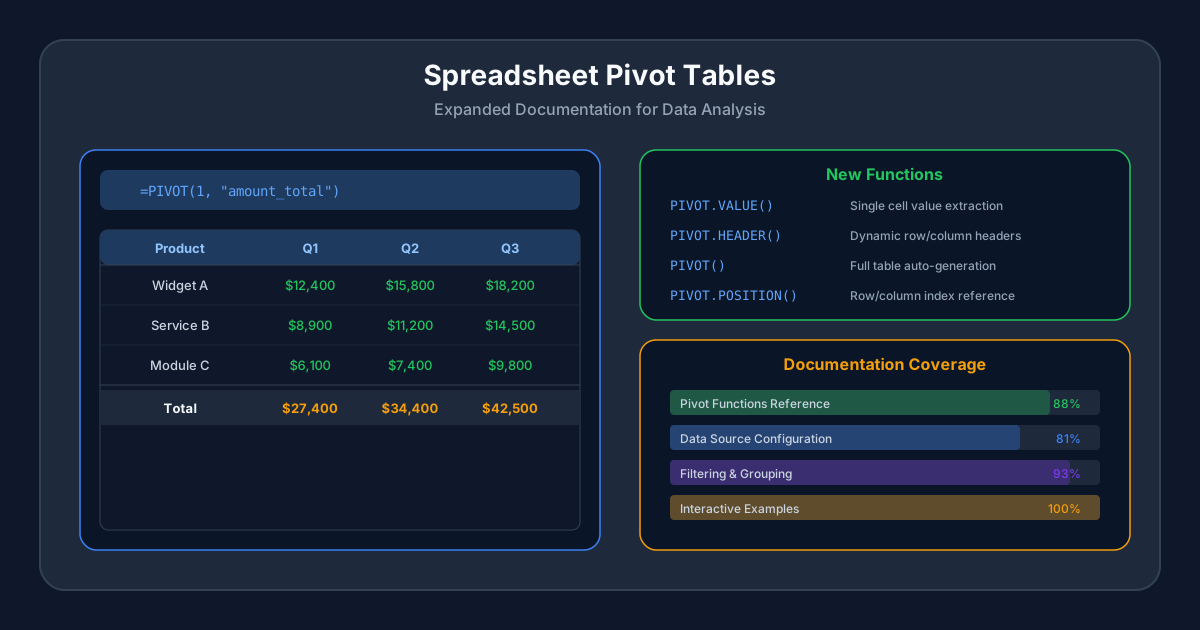
The most useful addition for power users is proper documentation of PIVOT.VALUE(). Where PIVOT()generates an entire table, PIVOT.VALUE()pulls a single data point from a pivot — the total sales for Product A in Q3, for instance, without building the surrounding rows and columns.
This matters because most real-world spreadsheet work isn’t about displaying pivot tables. It’s about embedding specific values from those tables into summary sheets, KPI dashboards, or comparison layouts. A finance team building a monthly board report doesn’t want a full pivot on every slide. They want the three numbers that matter, pulled accurately from live data.
PIVOT.VALUE() takes the pivot ID, the measure field name, and a set of domain filters that narrow the result to exactly one cell. The documentation now includes the filter syntax, the error behavior when the domain matches multiple groups, and the distinction between sum, average, and count aggregation types.
Dynamic Headers That Track Your Grouping
PIVOT.HEADER()solves a problem that anyone building a formatted pivot report has hit: the header labels change when the underlying data changes. Add a new product category, and the column count shifts. Filter to a different date range, and the period labels update. In a static spreadsheet, those headers are text you type manually. In Odoo’s connected spreadsheet, they need to be formulas.
The documentation now explains how PIVOT.HEADER()returns the display label for a specific row or column position in a pivot, updating automatically when the underlying data source changes. Combined withPIVOT.VALUE(), it lets users build fully dynamic reports where both the labels and the values stay in sync with live database records.
Better Data Source Configuration
The expanded documentation covers how pivot data sources connect to Odoo models, including which fields are available for measures versus grouping, how related fields are traversed, and what happens when a model’s field definitions change after a pivot is created.
For technical users, the data source section explains the relationship between the pivot’s configuration and the underlying search domain. Filters applied to a pivot in the spreadsheet translate directly to Odoo’s domain syntax, which means any filtering logic available in standard Odoo views works in the spreadsheet’s pivot as well.
This is significant because it removes the artificial ceiling that made Odoo’s spreadsheet feel limited compared to external tools like Google Sheets with BigQuery, or Excel with Power Query. The data is already in the ERP. The pivot functions now have the documentation to let users actually reach it.
Grouping and Filtering Controls
The documentation expansion gives particular attention to how grouping interacts with the pivot functions. Row grouping by date now covers the full range of period granularities: day, week, month, quarter, and year. Column grouping explains the behavior when multiple group-by fields are stacked, creating nested headers.
Filtering documentation now covers both the global filter system — where a single date range or product filter applies to every pivot and chart in the spreadsheet — and per-pivot domain filters that let different tables on the same sheet show different slices of the data.
Closing the Gap With Standalone BI Tools
The practical effect of this documentation expansion is subtle but important. Odoo’s spreadsheet has been quietly accumulating pivot table capabilities over several releases, but the documentation lagged behind the features. Teams that tried to build serious analytical spreadsheets hit the documentation wall and either gave up or exported their data to external tools.
With proper formula references, data source configuration guides, and grouping documentation, the built-in spreadsheet becomes a credible first choice for operational reporting. It won’t replace Metabase or Looker for complex analytics, but for the monthly reports, team dashboards, and financial summaries that every business needs, building them inside the ERP is now a documented and reliable option rather than a hopeful experiment.