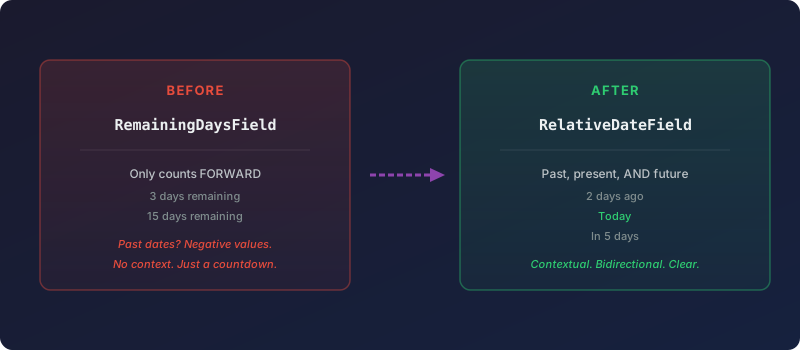
For years, Odoo shipped a date widget called “Remaining Days.” It did what the name promised: count down to a future date. Three days until the deadline. Fifteen days until contract renewal. It was a countdown timer dressed as a form field, and it worked fine for exactly one use case — tracking how much time was left before something happened.
The problem was that dates do not only exist in the future. A project deadline that passed last Tuesday is still a date worth displaying. An invoice due date from two weeks ago matters for aging reports. A contract start date from six months back provides context on a form. But “Remaining Days” treated all of these the same way: as negative numbers. A date three days in the past showed as “−3” with no additional context. Useful? Technically. Intuitive? Not remotely.
The Rename That Signals a Broader Scope
Odoo has now renamed the widget from RemainingDaysField to RelativeDateField, and the change in naming reflects a genuine change in behavior. The widget no longer treats itself as a countdown. It is a relative date display that understands three temporal states: past, present, and future.
A date five days from now shows as “in 5 days.” A date that landed yesterday shows as “1 day ago.” Today shows as “Today.” The output is human-readable, contextual, and bidirectional. No more mental arithmetic to figure out what a negative remaining days value means.
The technical identifier changes across the entire stack. In Studio, where non-developers configure custom fields, the field type dropdown now shows “Relative Date” instead of “Remaining Days.” In XML view definitions, developers reference the new widget name. The change propagates through the core platform, the enterprise modules, and the upgrade scripts simultaneously — a coordinated rename that avoids the usual problems of having old and new names coexisting.
Why Naming Matters in Enterprise Software
This might look like a trivial rename, but field names in an ERP system are user-facing labels that shape how people understand their data. When a field is called “Remaining Days,” users instinctively attach it to deadlines and countdowns. They do not think to use it for tracking how long ago something happened, because the name tells them it only looks forward.
“Relative Date” removes that mental constraint. It is a neutral label that invites broader application. How long since the last customer interaction? How many days since a manufacturing order was completed? How far away is the next scheduled maintenance? All of these are relative date questions, and the renamed widget handles all of them without the cognitive friction of a countdown-only label.
For Studio users — the consultants, administrators, and power users who build custom views without writing code — this clarity matters more than it does for developers. A developer reads the widget source and understands its full capability regardless of the label. A Studio user picks fields from a dropdown menu and makes assumptions based on names. Better names lead to better configurations.
What Changes for Existing Implementations
Existing views that reference the old RemainingDaysField widget will be handled by Odoo’s upgrade scripts. The rename was coordinated across the main repository, the enterprise edition, and the migration tooling, so databases upgrading to the new version should see their views updated automatically.
Custom modules that explicitly reference the old widget name in their XML views will need a minor update. The fix is a single find-and-replace operation: swap RemainingDaysField for RelativeDateField. No behavioral changes are required because the underlying rendering logic remains the same. The widget already supported past dates internally — it just did not communicate that capability through its name or its default formatting.
The real value lands in new implementations. Teams building custom forms, dashboards, or reports will now reach for “Relative Date” in contexts where they never would have considered “Remaining Days.” That expanded usage is the point. A widget that works in both temporal directions should be named like one, and now it is.