Documentation errors in ERP software don’t just confuse people — they create misconfigured systems that silently produce wrong results for months. Odoo’s basic subcontracting guide had exactly this problem: it described a configuration workflow that didn’t match how the feature actually worked, leading users through steps that either failed or set up their outsourced manufacturing incorrectly.
The rewrite fixes the configuration process, strips out duplicated content that conflicted with itself, and merges essential lead time guidance from a separate page that was being deprecated. The result is a single, accurate document that takes a user from “I want to use a subcontractor” to “I received my finished goods” without detours.
What Was Wrong Before
The old documentation split the subcontracting setup across multiple sections with overlapping and sometimes contradictory instructions. There was a standalone “Configure product” section that covered vendor setup, a separate “Configure BoM” section, a multi-step purchase order process, and a standalone delivery order procedure — each written at different times, each assuming slightly different starting conditions.
Worse, some of the configuration steps were flat-out wrong. Users following the guide would end up with BoM configurations that didn’t trigger the subcontracting workflow correctly, or they’d manually fill in fields that should have been left empty. The result was support tickets from users who had “followed the documentation” and couldn’t figure out why their purchase orders weren’t generating the right inventory moves.
The Corrected Workflow
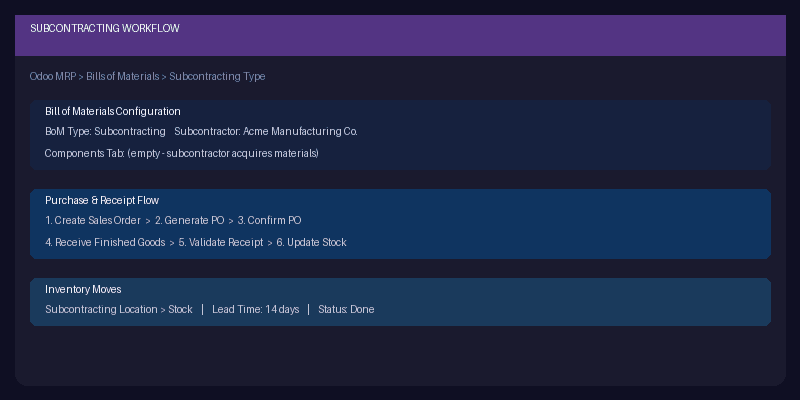
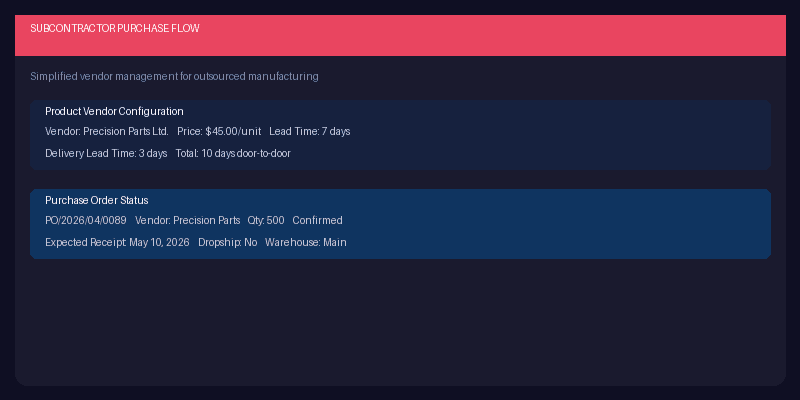
The rewritten guide follows a clean linear path. First, configure the product’s vendor: select the subcontractor from the vendor dropdown, add pricing, and set the delivery lead time. Second, create a Bill of Materials with the type set to “Subcontracting” and assign one or more subcontractors in the field that appears. The key correction: leave the Components tab empty. In basic subcontracting, the subcontractor acquires their own materials. You’re only responsible for purchasing and receiving the finished product.
That Components tab detail is where most users went wrong. The old documentation implied you should list components even in basic subcontracting, which muddied the distinction between basic and advanced subcontracting (where you ship components to the subcontractor). The rewrite makes this boundary explicit and saves the advanced workflow for its own dedicated page.
Cleaner Purchase-to-Receipt Flow
The old guide broke the purchase flow into four separate procedural sections. The rewrite consolidates them into a sequential narrative: create a sales order, generate or create a purchase order for the subcontractor, confirm it, and then process the receipt when finished goods arrive. For dropship scenarios, the receipt step is replaced with a direct ship to the customer.
Each step now includes the exact navigation path, the fields to fill, and what should auto-populate from the BoM and vendor configuration. The inventory moves section shows exactly what Odoo creates behind the scenes — the transfer from subcontracting location to stock — so users understand where their products are in the system at each stage.
Lead Times Finally in One Place
Previously, lead time guidance for subcontracting lived on a separate documentation page that was about to be removed. The rewrite pulls the essential lead time content — how delivery lead times affect expected receipt dates, how manufacturing lead times interact with subcontractor schedules — directly into the main workflow document. One page, everything you need, no cross-referencing.
For teams running subcontracting in Odoo, this rewrite is worth revisiting even if you think your setup is correct. The configuration corrections alone could explain phantom inventory issues or purchase orders that never quite behaved as expected. Sometimes the best release note isn’t about new code — it’s about finally writing down how the existing code was supposed to be used.