Closing a subscription should be as thoughtfully designed as opening one, but most software treats cancellation as an afterthought. Odoo just rebuilt its entire subscription closure workflow with two changes that reflect a more mature understanding of churn: administrators now get precise date control and custom reasons, while customers get portal-based self-service that eliminates support tickets.
How the Admin Side Works Now
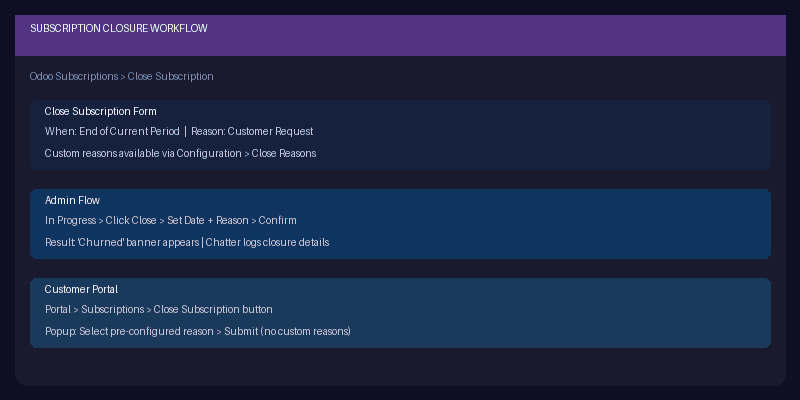
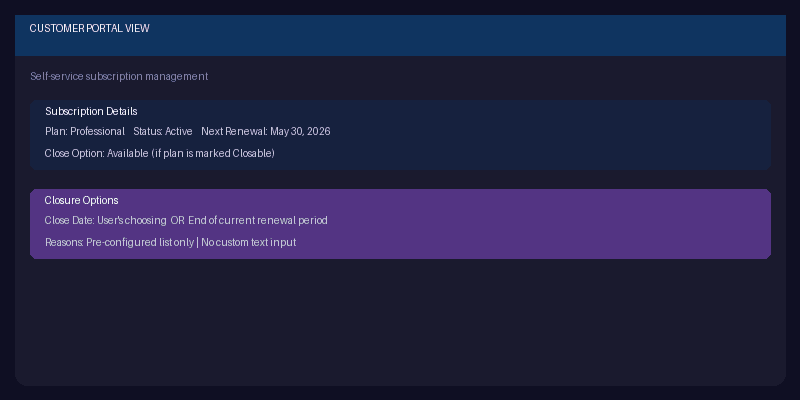
The setup starts with recurring plans. Each plan can be marked as “Closable,” which adds a dropdown menu offering two options: close on a specific date chosen by the admin, or close at the end of the current renewal period. That second option is the one most businesses want — the customer has already paid for the current term, so the subscription runs its course and doesn’t renew.
When an admin clicks the Close button on an active subscription (which appears once the quotation has converted to a sales order with “In Progress” status), a form pops up asking two things: when to close, and why. The “When” field offers the two options configured on the plan. The “Reason” field pulls from a configurable list that admins manage at Configuration > Close Reasons.
After submission, the subscription displays a “Churned” banner and logs the closure details in the chatter — who closed it, when, and the stated reason. That data feeds into reporting, giving subscription businesses the churn analytics they need to understand why customers leave.
Customer Portal Self-Service
The customer-facing side is equally considered. Portal users see a “Close Subscription” button on their subscription page. Clicking it opens a popup that asks for a reason, but with an important constraint: customers can only select from pre-configured reasons. No free-text field. This is a deliberate design choice — it forces cancellation reasons into structured categories that can be analyzed at scale, rather than collecting thousands of unique text entries that nobody will ever parse.
Admins control the available reasons through the same Configuration > Close Reasons menu. Want to know if pricing is the primary churn driver? Add “Too expensive” as a reason and track how often it’s selected. Want to surface feature gaps? Add “Missing features I need” and follow up with those customers individually.
Scheduled Actions Documentation Removed
In a related cleanup, Odoo removed the Scheduled Actions documentation from the Subscriptions section entirely. The rationale was straightforward: scheduled actions for subscriptions are an edge case that the vast majority of users will never touch. The documentation was confusing beginners and providing minimal value to the advanced users who could figure it out from the technical reference.
This is a healthy editorial decision. Not every feature deserves equal documentation weight. Removing content that serves 2% of users while confusing the other 98% makes the remaining documentation more focused and navigable.
The Bigger Picture on Churn
These changes reflect Odoo maturing as a subscription platform. Early subscription features focused on the happy path: creating plans, billing customers, processing renewals. The close workflow was bolted on later and felt like it. Now the entire lifecycle — from first subscription to final cancellation — has coherent UX on both the admin and customer sides.
The structured close reasons are particularly valuable. Most subscription businesses know their churn rate but can’t explain it. By funneling cancellations through categorized reasons across both admin and customer portal closures, Odoo gives businesses the qualitative data they need alongside the quantitative metrics. That’s the difference between knowing that you lost 5% of subscribers last month and knowing that 40% of them left because of pricing.