There’s a category of engineering work that nobody tweets about but everyone benefits from: cleaning up the stylesheet. No new features, no flashy animations, no redesign that makes the marketing team excited. Just the quiet, meticulous work of replacing hardcoded values with variables, removing dead code, and making the CSS do less while looking the same.
Odoo just did exactly that across its entire documentation theme, and the scope is significant. Thirty-one commits touching every major SCSS file in the system — colors, typography, spacing, alerts, code blocks, responsive behavior. The documentation looks the same to readers, but the code underneath is fundamentally different.
What Was Wrong With the Old Stylesheets
The documentation theme had accumulated the kind of technical debt that happens naturally when a codebase grows over years. Font sizes were hardcoded in pixels instead of using the typographic scale. Spacing values were magic numbers instead of Bootstrap spacing variables. Color values appeared as hex codes in dozens of places instead of referencing a central palette. Browser-specific prefixes from the era of IE11 compatibility were still present despite being unnecessary for any modern browser.
The result was a stylesheet that worked but was fragile. Changing the primary color meant hunting through multiple files. Adjusting the font scale meant updating pixel values in twenty places and hoping you didn’t miss one. Adding a new alert type meant copying a block of CSS and changing the color, creating yet another instance of the same pattern with no shared foundation.
The Bootstrap Variable Migration
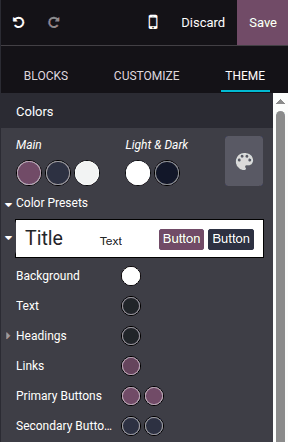
The centerpiece of the cleanup is a wholesale migration to Bootstrap’s variable system. Instead of defining custom spacing, color, and typography values, the theme now inherits from Bootstrap’s established token set. This means the documentation theme automatically stays consistent with Bootstrap’s design decisions — if Bootstrap adjusts its spacing scale or refines its color palette in a future version, the documentation theme picks up those changes without manual intervention.
The practical benefit is smaller CSS files. Repeated declarations collapse into variable references. Vendor-specific prefixes disappear. Mixins that existed only to work around browser inconsistencies that no longer exist get removed entirely. The compiled CSS that browsers actually download is measurably smaller.
Typography Gets a Proper Scale
One of the more impactful changes is the fix to the typographic scale. The old theme had heading sizes that didn’t follow a consistent ratio — h1 through h6 used pixel values that someone had eyeballed at some point, and the visual hierarchy broke down at certain viewport widths. The new approach uses Bootstrap’s responsive font-sizing system, which scales text proportionally based on the viewport.
This matters more than it sounds. Documentation is read on everything from 13-inch laptops to 32-inch monitors to phones. A typographic scale that looks right at one size but breaks at another makes content harder to scan, which is the single most important quality a documentation site can have. Getting the scale right is invisible when it works and painful when it doesn’t.
Alerts and Admonitions Rebuilt with CSS Variables
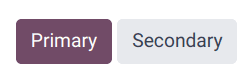
The way alerts (the colored boxes that highlight warnings, tips, and important notes) are built has changed fundamentally. Previously, each alert type — note, tip, warning, danger, important — had its own block of CSS with hardcoded colors. Adding a new alert type meant duplicating the entire block and swapping values.
Now, alerts use CSS custom properties. A single base style defines the layout, padding, border, and typography. Each alert type only overrides the color variables. This is the difference between five blocks of fifty lines each and one block of fifty lines plus five blocks of three lines each. Maintenance drops by an order of magnitude.
Sphinx Compatibility Fixes
A Sphinx update (Sphinx is the documentation engine that Odoo uses) had changed the DOM structure for certain elements, particularly code literals and inline references. The old CSS selectors no longer matched the new DOM, causing visual regressions. The cleanup addresses these by adding a new.o_codeclass that targets literals consistently regardless of Sphinx’s HTML output patterns.
This is the kind of fix that prevents a category of future breakage. Instead of matching on fragile DOM hierarchies that Sphinx might change again, the class-based approach gives the theme a stable hook to style against.
The Kind of Work That Compounds
Stylesheet cleanups don’t make feature announcement lists. Nobody migrates to a platform because its documentation CSS uses variables instead of hardcoded values. But this kind of work compounds. Every future change to the documentation theme is now easier, faster, and less likely to introduce regressions. The next developer who needs to adjust a color or add an alert type will spend minutes instead of hours, and the result will be consistent instead of slightly-off-but-close-enough.
For teams building custom Odoo themes, the migration also serves as a reference implementation. Bootstrap variable usage, CSS custom property patterns, responsive typography — these are all transferable patterns that apply to any web project, not just Odoo’s documentation. Sometimes the most useful thing a platform can ship isn’t a feature — it’s a cleaner foundation for everything that comes next.