Website builders live and die by how quickly a non-developer can get a specific design element onto a page. Odoo has been adding building blocks steadily over the past two years, but certain patterns — the promotional banner at the very top of the site, the age check before accessing restricted content, the icon list that every SaaS landing page uses — required custom code or third-party themes to implement. Not anymore.
Announcement Banners Above the Header
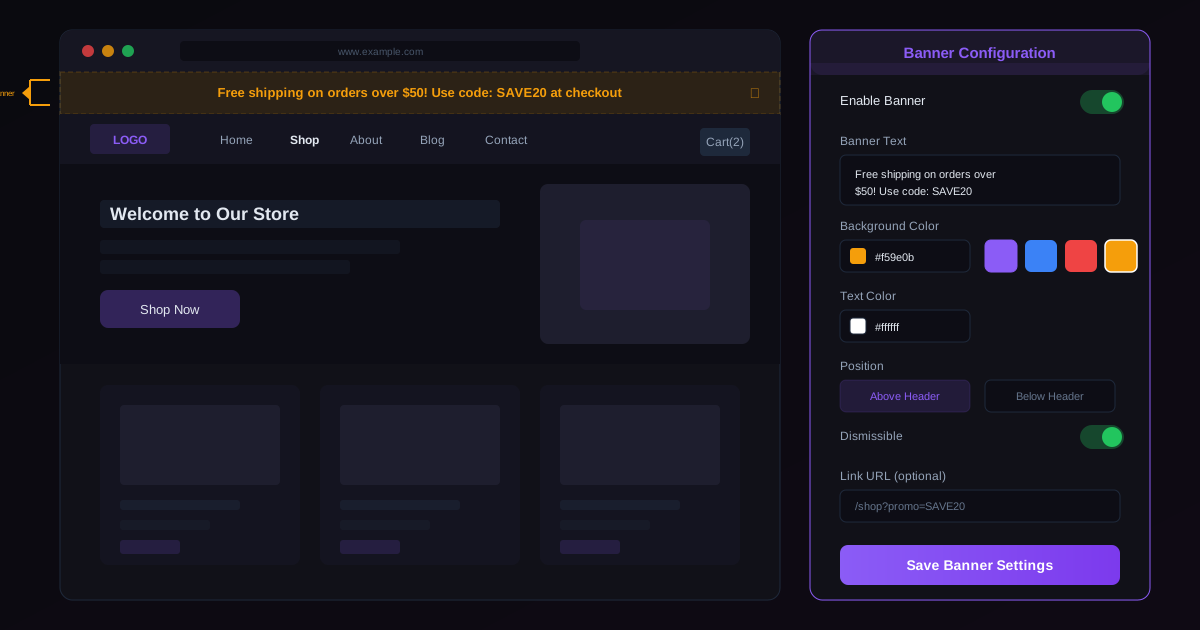
The announcement banner sits in the most valuable real estate on any website: the strip above the navigation header. It is the first thing visitors see, and every major eCommerce platform and SaaS site uses it for time-sensitive messages. Holiday shipping deadlines. Flash sale countdowns. System maintenance notices. New product launches.
Odoo’s implementation drops a configurable banner element into the website editor that pins to the top of every page. The banner supports text, links, background colors, and a dismiss button. Dismissed banners stay hidden for the duration of the visitor’s session, so returning visitors within the same browsing session are not repeatedly pestered.
The positioning is important. Unlike a regular building block that sits within the page content flow, the announcement banner lives outside the header component. It does not push down or reflow the navigation. The header stays exactly where it was, and the banner occupies the additional space above it. When the banner is removed or dismissed, the header simply moves up — no layout shift, no content jump.
For marketing teams, this means deploying and retiring promotional messages without touching the page layout. Enable the banner, type the message, set the colors, publish. Promotion over? Delete the banner. The rest of the page is untouched.
Age Verification for Regulated Product Categories
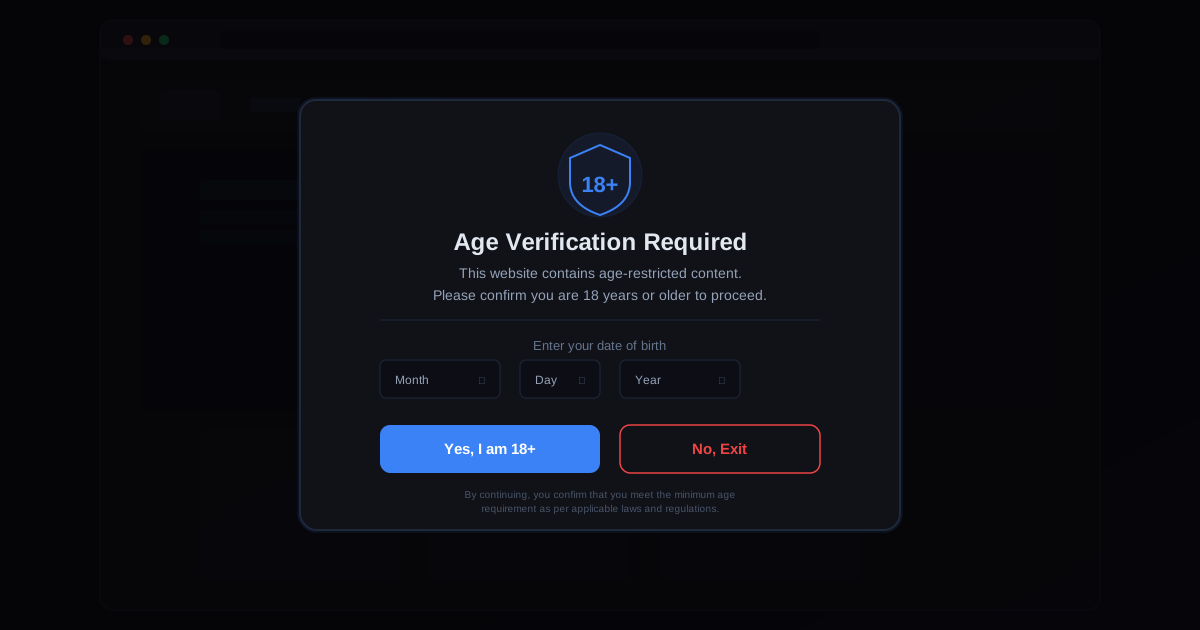
Selling alcohol, tobacco, vaping products, or certain supplements online comes with a legal requirement in most jurisdictions: verifying that the buyer meets the minimum age threshold before they can browse or purchase restricted items. Until now, Odoo merchants selling regulated products needed custom development to implement an age gate.
The new age verification popup activates per product category. When a visitor navigates to a page containing products in a restricted category, a modal appears asking for age confirmation. The implementation supports two modes: a simple yes/no confirmation (“Are you over 18?”) for markets where self-declaration is sufficient, and a date of birth entry for jurisdictions that require calculated verification.
Once verified, the confirmation persists in the visitor’s session. Browsing between restricted product pages does not trigger the popup again. The gate only reappears when the session expires or the visitor returns in a new browser session.
This is a compliance feature, not a foolproof identity verification system. It does not replace age verification at the point of delivery in jurisdictions that require it. But it satisfies the online storefront-level requirements that most regional regulations impose, and it keeps merchants from facing penalties for not having any age gate at all.
Carousel Transition Speed
Carousels are one of the most used building blocks in the Odoo website editor, powering hero sections, testimonial rotations, and product showcases. But the transition speed between slides was previously fixed — every carousel on every page rotated at the same interval regardless of content.
That created problems. A hero section with a brief tagline needs a fast rotation to keep energy on the page. A testimonial carousel with a full customer quote needs to stay on screen long enough to be read. A product showcase with detailed imagery benefits from a slower, more deliberate transition.
The speed control is now accessible in the carousel’s building block options. Designers set the transition interval in seconds, and the change applies immediately in the editor preview. Simple, but the absence of this control was a consistent source of frustration for anyone trying to build a polished site with multiple carousel elements.
Icon List Snippet
The Icon List is a new building block that renders a vertical list with icons alongside each item. Think feature lists, benefit summaries, process steps, or specification sheets — the kind of structured content that appears on virtually every B2B and SaaS landing page.
Each list item gets an icon picker (drawing from Font Awesome and Odoo’s built-in icon set), a title line, and an optional description. The layout responds to screen size, stacking vertically on mobile while displaying in a clean multi-column grid on desktop.
Before this snippet, building an icon list required either a multi-column layout with manually placed image and text blocks or a custom HTML snippet. Both approaches were fragile and time-consuming to maintain. The dedicated snippet handles spacing, alignment, and responsive behavior automatically, and adding or removing items takes one click rather than a layout rebuild.
Incremental, But That Is the Point
None of these features will make headlines the way AI generation or a full page builder redesign does. But they address the kind of practical gaps that cause website editors to reach for custom code or abandon the built-in builder entirely. Every time a designer can accomplish a common pattern without leaving the visual editor, the builder becomes more viable as a standalone tool rather than a starting point that always needs developer intervention.
Odoo’s website builder has been on a steady trajectory from “good enough for a basic site” to “legitimately competitive with dedicated platforms.” These four additions are another step on that path.